How to give a stamp
Scan their card or search for them by name. 5 seconds.
-
1
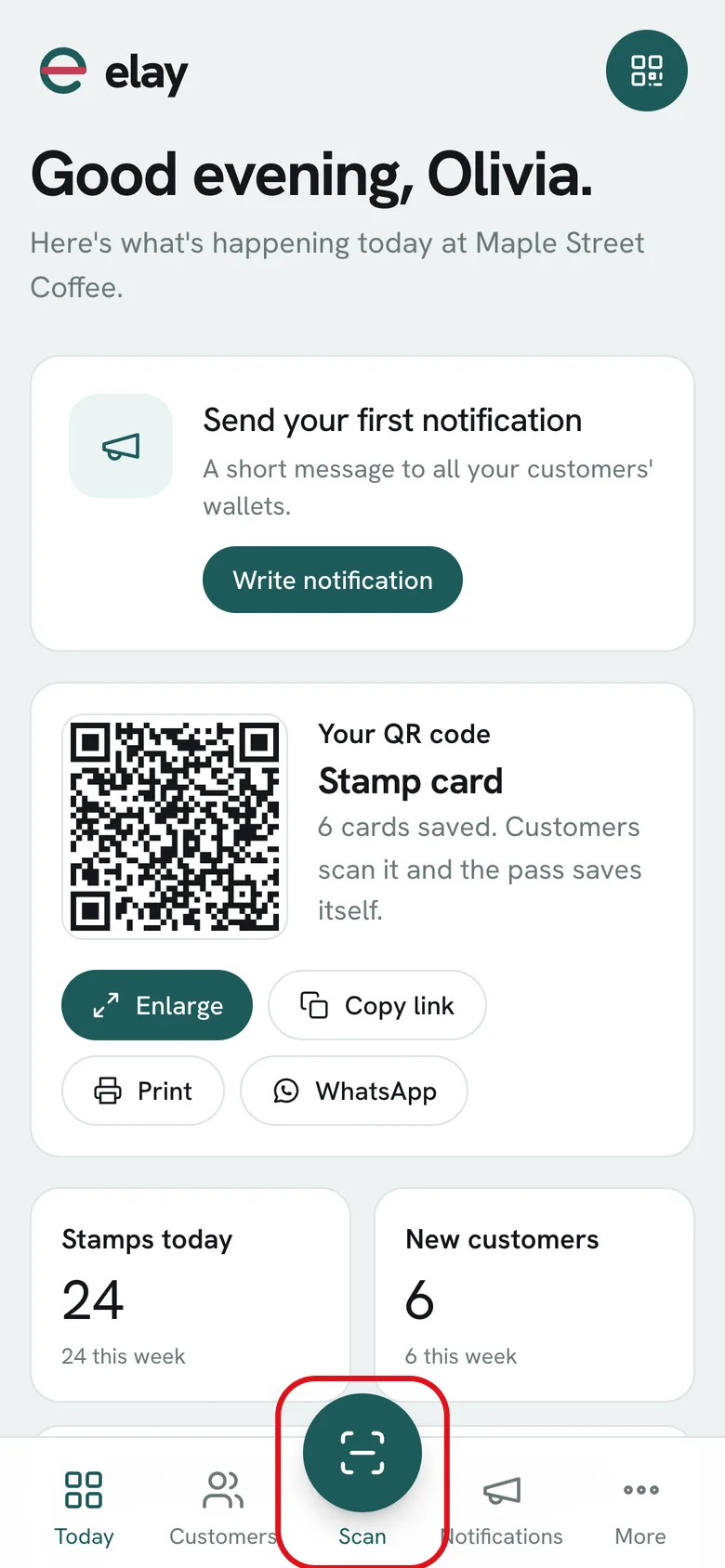
In the dashboard, tap Scan: the middle button at the bottom. It works on a phone, tablet or computer.
-
2
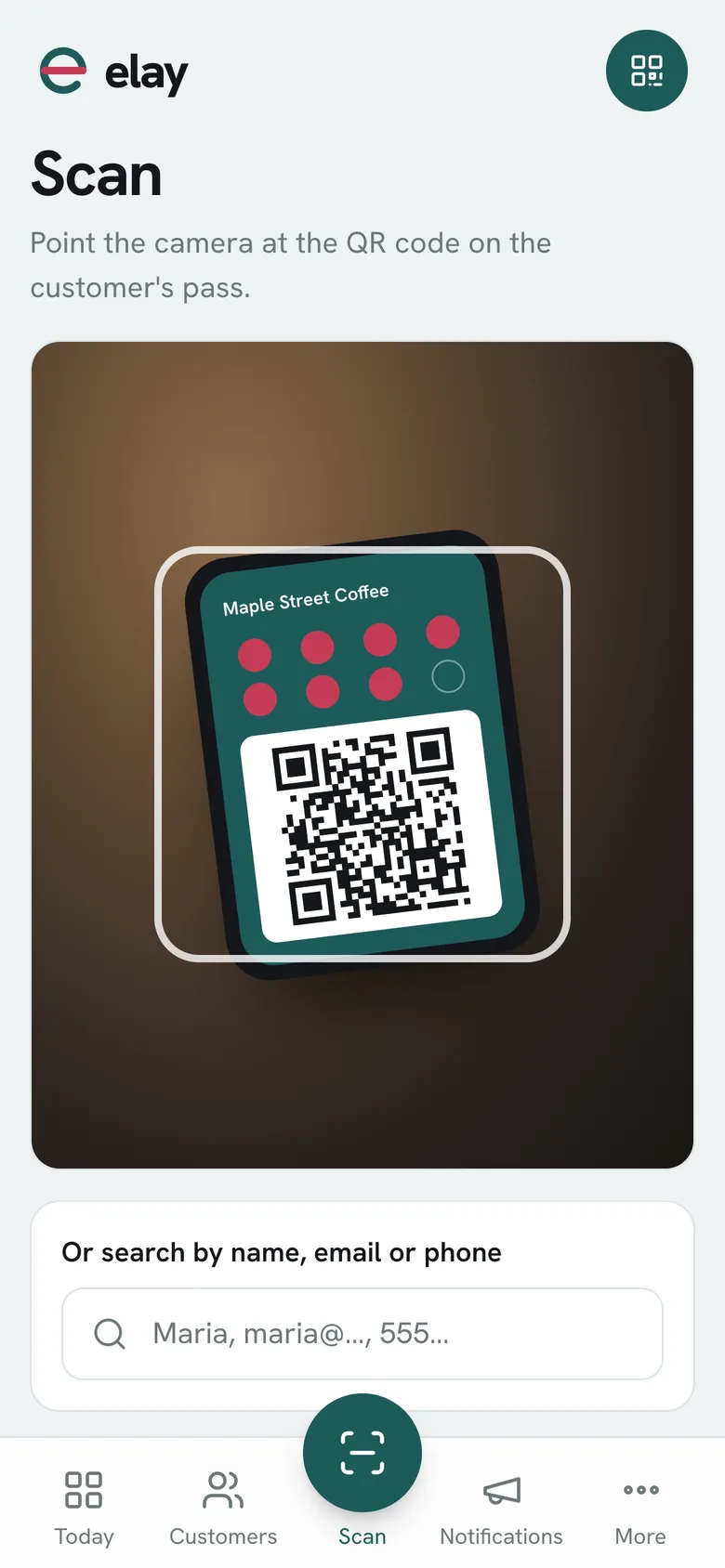
Point the camera at the QR code on the customer's pass. It reads it instantly and opens their profile.
-
3
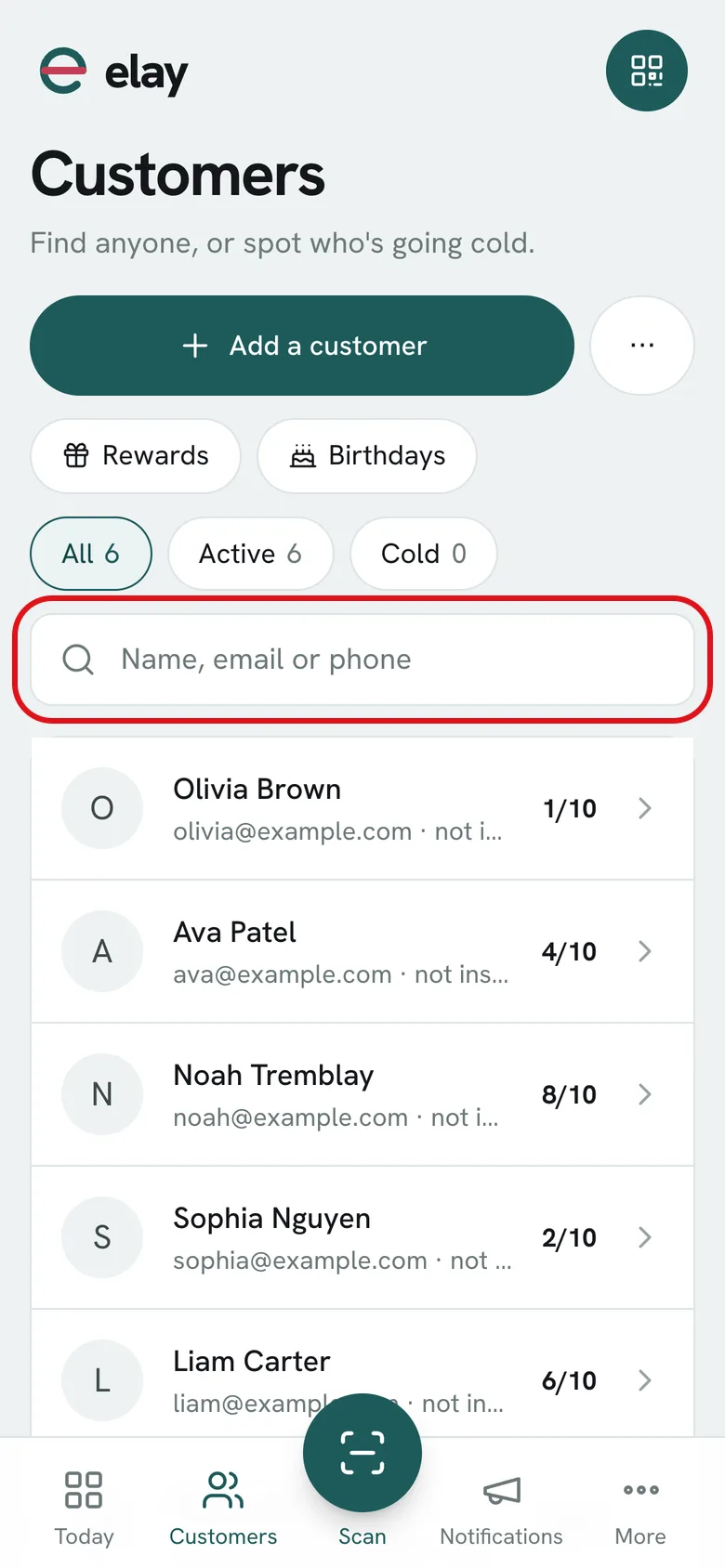
No camera handy? Type their name, email or phone in the search box below and tap their name.
-
4
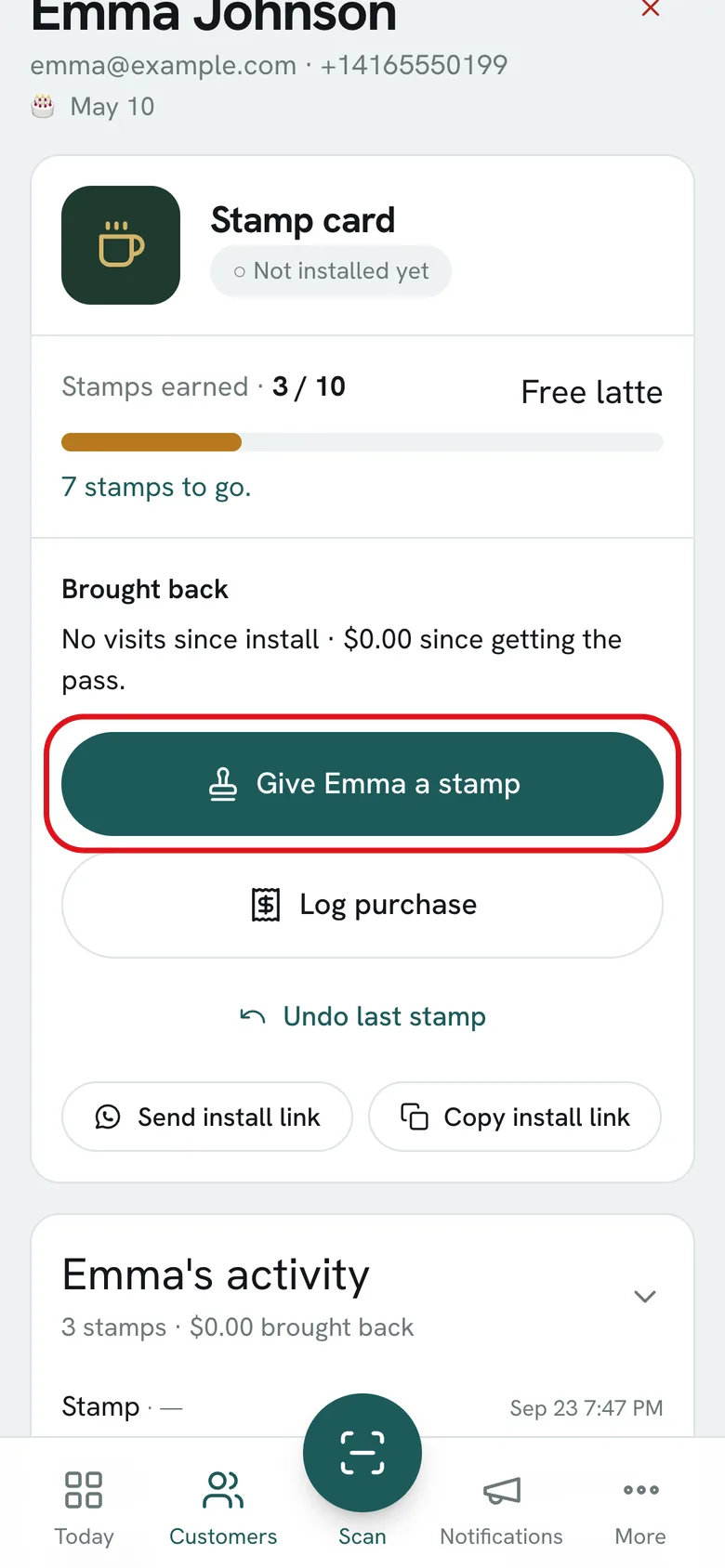
On their profile, tap Give a stamp. The pass on their phone updates on its own.
What if…?
Can I give two stamps at once?
Yes, by tapping twice, as long as it doesn't go over the daily stamp limit per customer. If you made a mistake, use Undo last stamp.
What happens when they reach the goal?
The card is full and the customer gets “Card full!”. No more stamps can be added until you redeem the reward.
Can I scan with my phone's regular camera?
Yes. If you're signed in on that browser, the QR code on the pass opens the customer's profile directly.