The stamp card that lives on your customers’ phones.
Set it up in 40 seconds and your customers save it on their phone, no app needed. See who came back, who’s close to a reward, and send them a nudge to return.
- Sign in with Google, no credit card
- 7 days free, no commitment
- Cancel anytime
Businesses that stopped losing customers.




For cafés, restaurants, barbershops, spas and shops.
How it works
It really is this simple.
-
 01
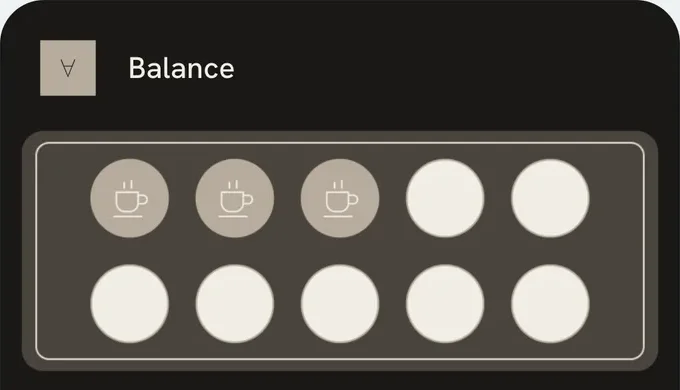
Create your card in seconds
Name, reward, your logo. Done. No designer, no tech help.
-
 02
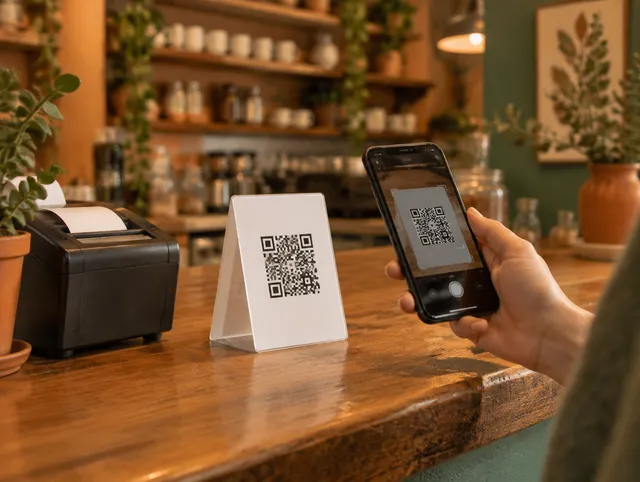
Customers save it with a QR
One tap and it’s in their wallet. No app to download, no long sign-up.
-
 03
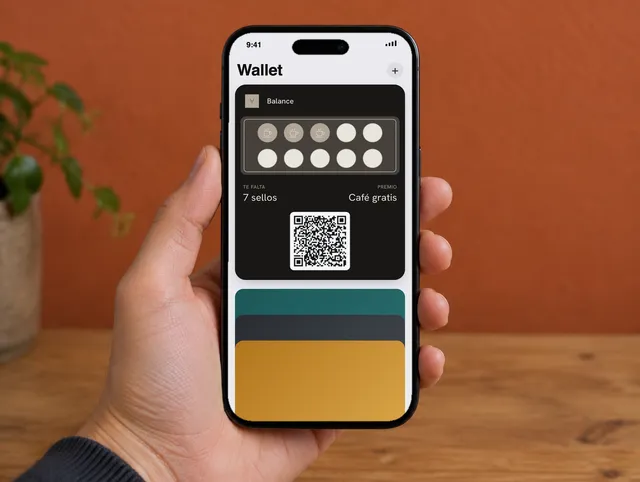
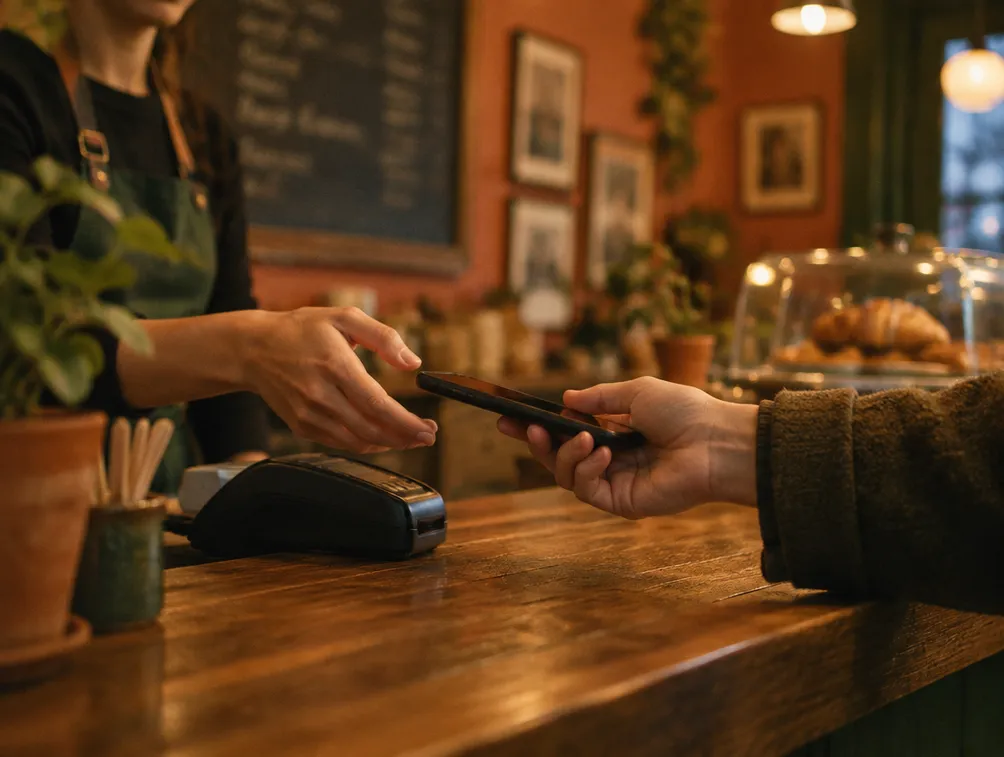
Stamp it in seconds
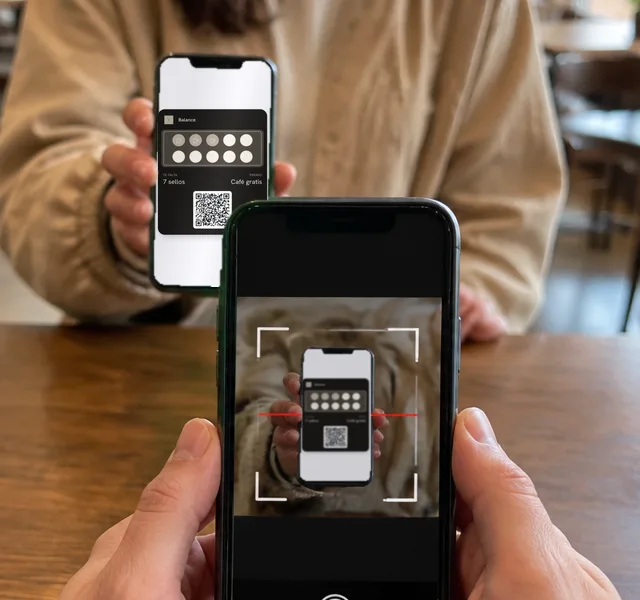
Scan their card with your camera or look them up by name. Every stamp gets them closer to the reward.
-
MMaple Street2-for-1 smoothies today. Show your card and get a double stamp.04
A notification brings them back
A message lands on their lock screen whenever you want: a promo, today’s special, a reminder.
-
 05
And wish them happy birthday without remembering
Write the message and the gift once. From then on it goes out by itself, on each customer’s birthday.
That simple. Your card can be ready in 40 seconds.
Create my free cardSign in with Google · No credit card · 7 days free
Pricing
Pick your plan. No contracts.
Unlimited stamps on every plan. 7 days free with everything unlocked; after that you pay in bolivianos, by bank QR, monthly or yearly.
Growth
Billed yearly · Bs 2290
You save Bs 458 (2 months free)
or Bs 6.28 a day
One location, one program.
- 1 program with your logo and colors
- Up to 150 active customer cards
- Push notifications to everyone or to lapsed customers
- Dashboard: who came back, when and how often
- 1 team member
- Export your customers anytime
Professional
Billed yearly · Bs 5790
You save Bs 1158 (2 months free)
or Bs 15.87 a day
Up to 3 locations, your own design.
- Everything in Growth
- Your own stamp strip design
- Sign-up form with your own questions
- 3 locations and 3 programs
- 3 team members
- Up to 1,000 active customer cards
- Notifications to any audience, no waiting
- Automatic birthday gift
- Automatic Google review requests
Ultimate
Billed yearly · Bs 9990
You save Bs 1998 (2 months free)
or Bs 27.37 a day
For every location you have.
- Everything in Professional
- Unlimited locations, programs and team
- Reward ladder with tiers
- Membership with points on every purchase, redeemable for merch or credit
- Barcode for your counter scanners
- Point of sale (POS) integration
- Priority support
Save up to Bs 1998 a year.
Already applied to the price.
Need just one extra?
Add them to Growth or Professional without changing plans.
Ultimate already includes everything unlimited.
To put it in perspective
Less than Bs 6.28 a day: less than a coffee, with unlimited stamps.
7-day free trial, no credit card. Cancel anytime, no contracts.
Your brand, your card
This is how your card looks on your customers’ phones.
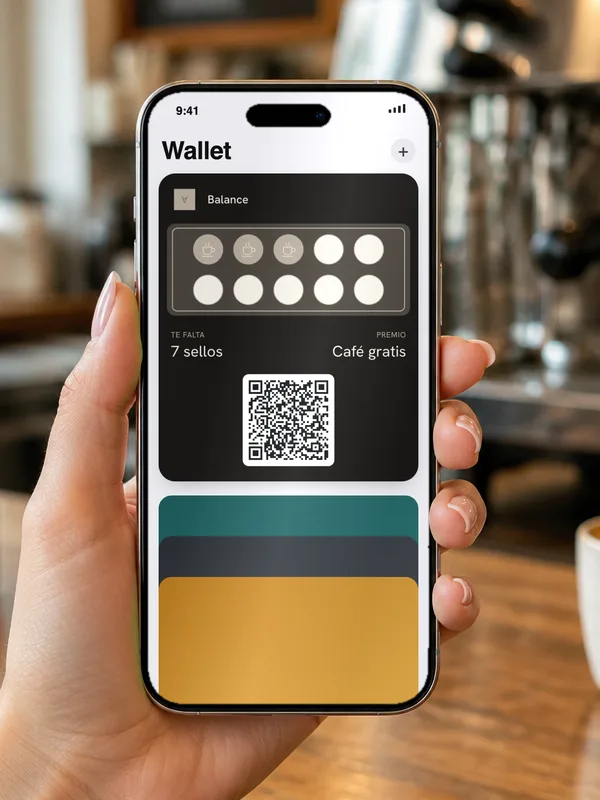
Your logo, your colors and your reward. Saved in Apple Wallet and Google Wallet, no app needed.


This is what your customers see. Create yours and try it on your own phone.
Create my free cardSign in with Google · No credit card · 7 days free
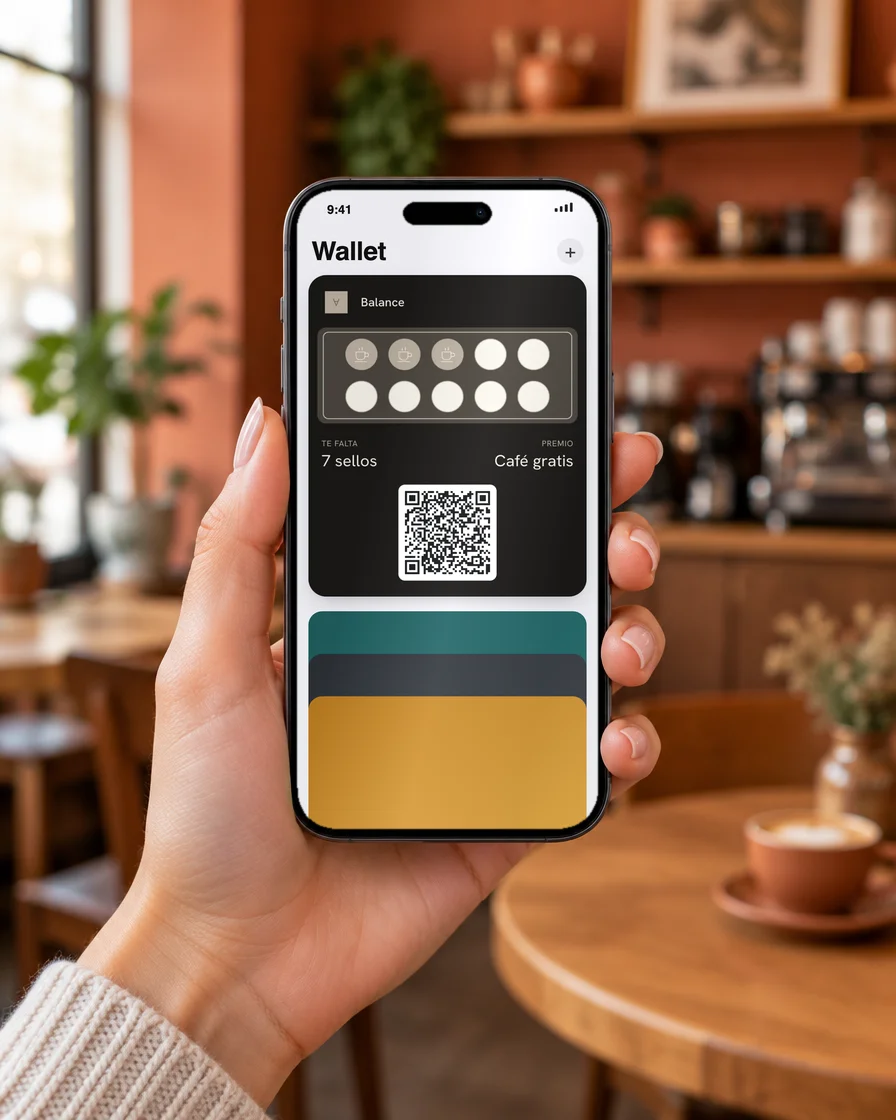 Your logo
Your stamps
Your reward
Push notifications
Send a notification whenever you want.
A promo, a reminder, today’s special. Write it in 20 seconds and it lands on their lock screen, like a text. No app, no email, no algorithm in the way.
- To everyone, or only to people who haven’t visited in 30 days.
- To customers one stamp away from a reward.
- To this week’s new customers.
See how to send one · real screenshots
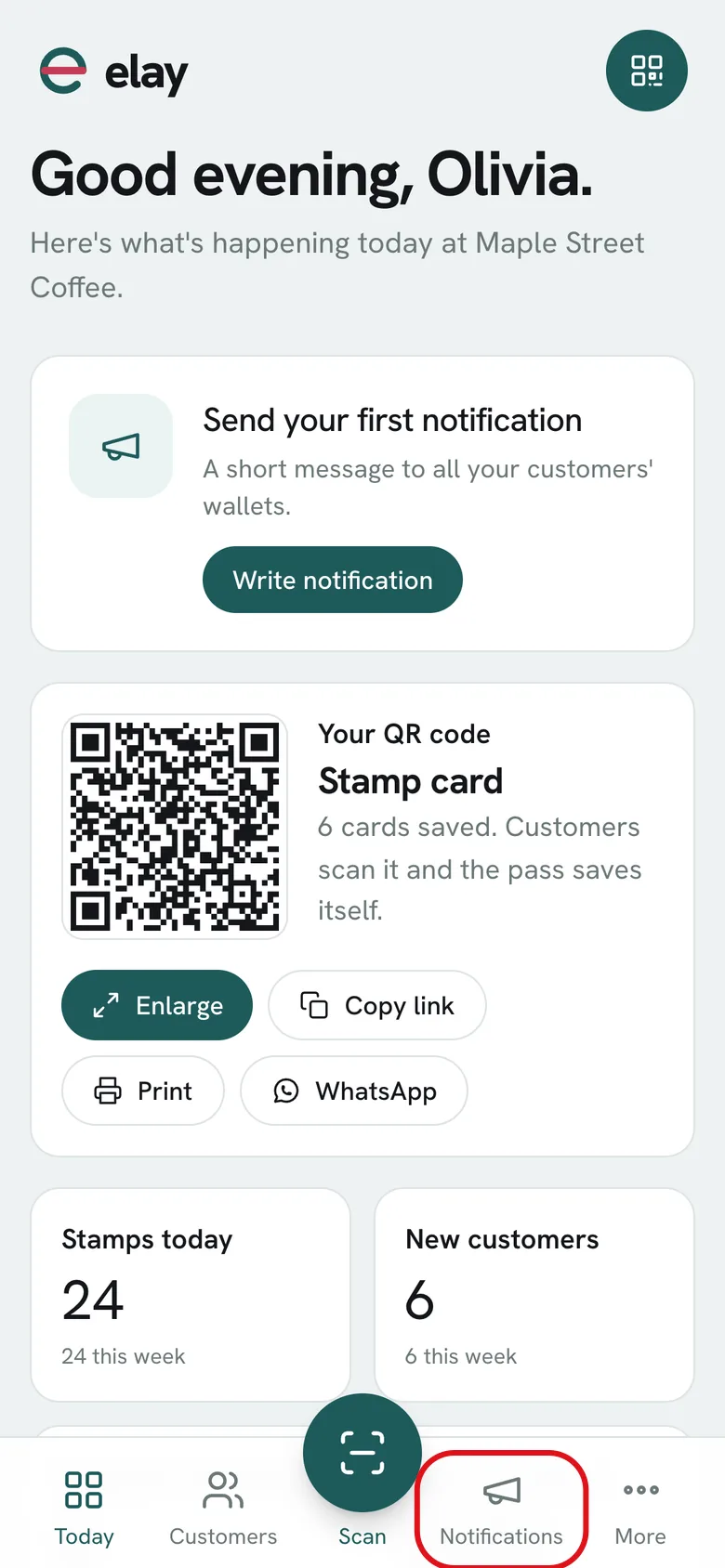
01 In the dashboard, tap Notifications in the bottom bar.
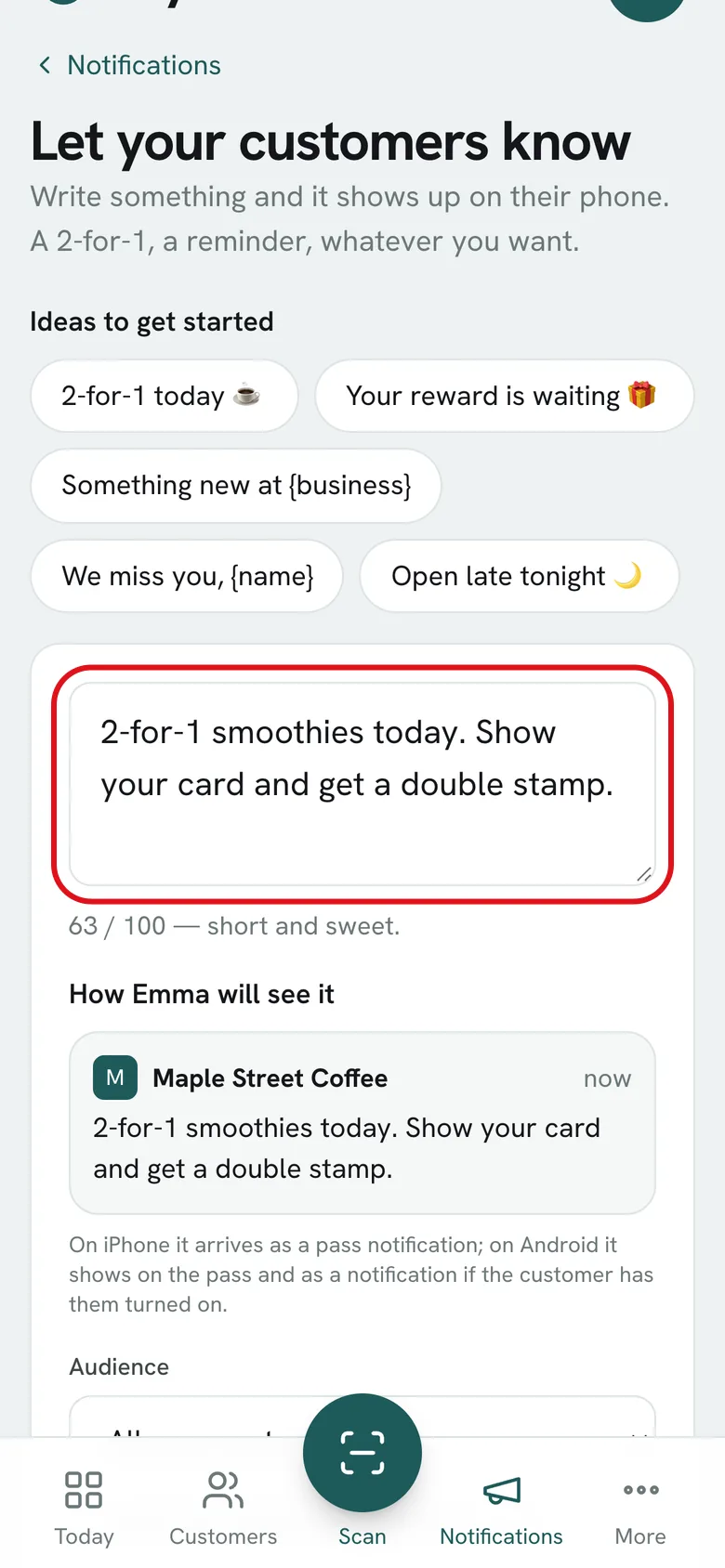
02 Write your message, like a text. Below you see how it arrives.
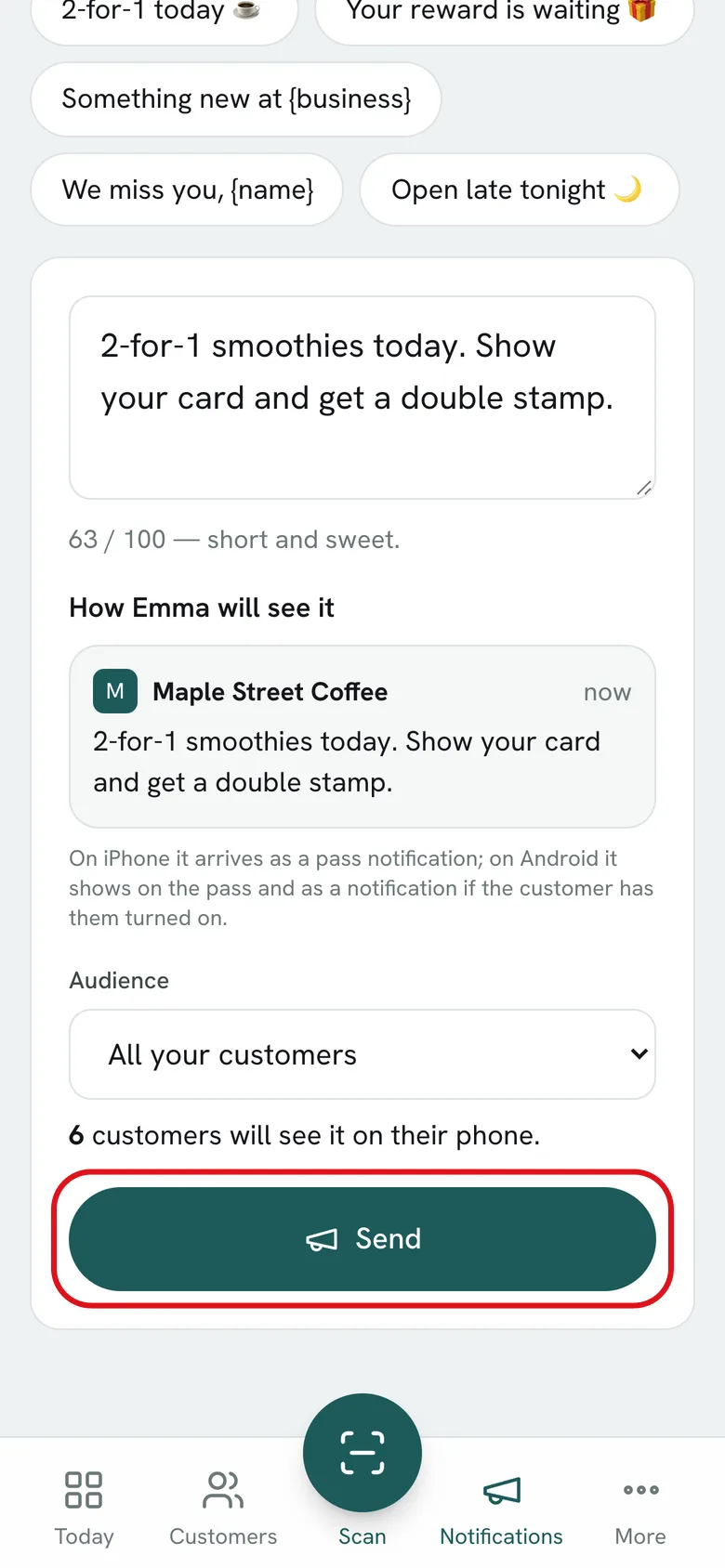
03 Tap Send: it goes out right away to every customer with your card.
A notification on their phone gets read far more than an email.
Your customers
Finally, you know who’s who.
Paper cards left you with nothing. Here every visit leaves you a data point, so you decide who to message and what to say.
-
Your customers, grouped for you
Who hasn’t come in 30 days, who’s close to the reward, who’s new, who has a birthday this month. Send each group a different message.
-
See who stopped coming
Customers who drift away don’t tell you. Here they show up under Cold, and you message them before you lose them.
-
See what each one brought in
On their profile: how many times they came back and how much they spent since getting your card.
-
And it’s all yours
Name, email and phone for every customer. Export to Excel anytime: if you leave, your list goes with you.
The superpower
Your customer walks by. Your card shows up on their screen.
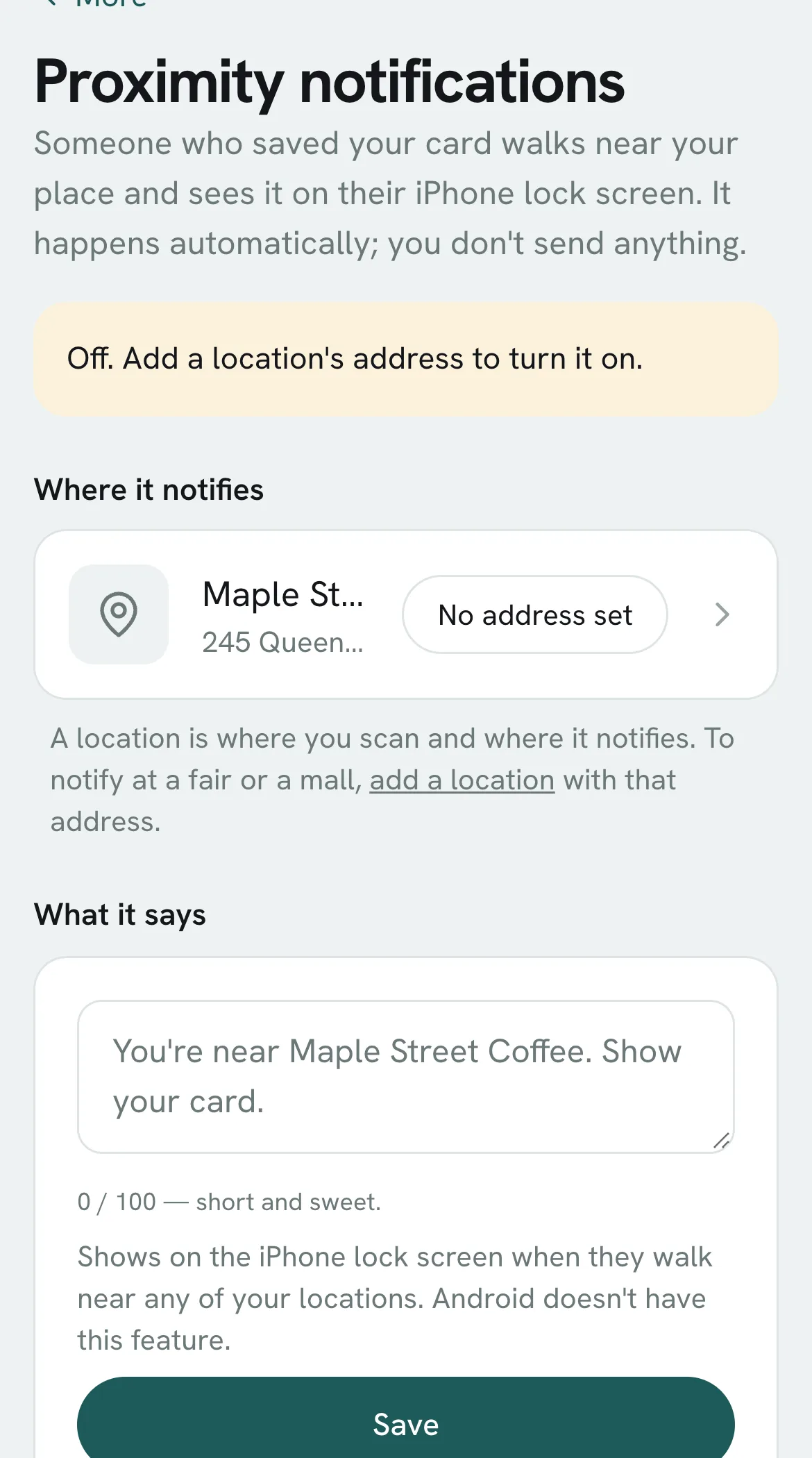
A 100-meter radius around your business. Your customer walks into the zone and their phone reminds them you exist. You don’t do a thing.
Your notification zone
-
Turns on with your location’s address
Set it once and you’re done. Each location gets its own zone.
-
You choose what it says
A short message, like “2-for-1 smoothies today”. Change it anytime.
See how to turn it on · real screenshot
Your first notification can go out the same day you create your card.
Create my free cardSign in with Google · No credit card · 7 days free
Comparison
elay vs. what you used before.
Loyalty doesn’t fail. The system behind it does.
See how it knows each customer’s birthday
26of 212 customers shared their birthday
2 have a birthday this week. Next up is Emma Johnson, on Oct 12.
The dashboard keeps count and tells you who’s next. Sample numbers; automatic birthdays from Professional.
Coming from another loyalty platform? We’ll help you move your stamps over.
Create my free cardSign in with Google · No credit card · 7 days free
Your card can be ready today.
7 days free, no credit card.
- No credit card
- Cancel anytime
- Support by email
Prefer a hand getting set up?
We’ll help you get your card ready: free and no strings attached. We reply during business hours, Monday to Friday.
Everything else elay does.
Open them for the details. Otherwise, you’ve already seen what matters.
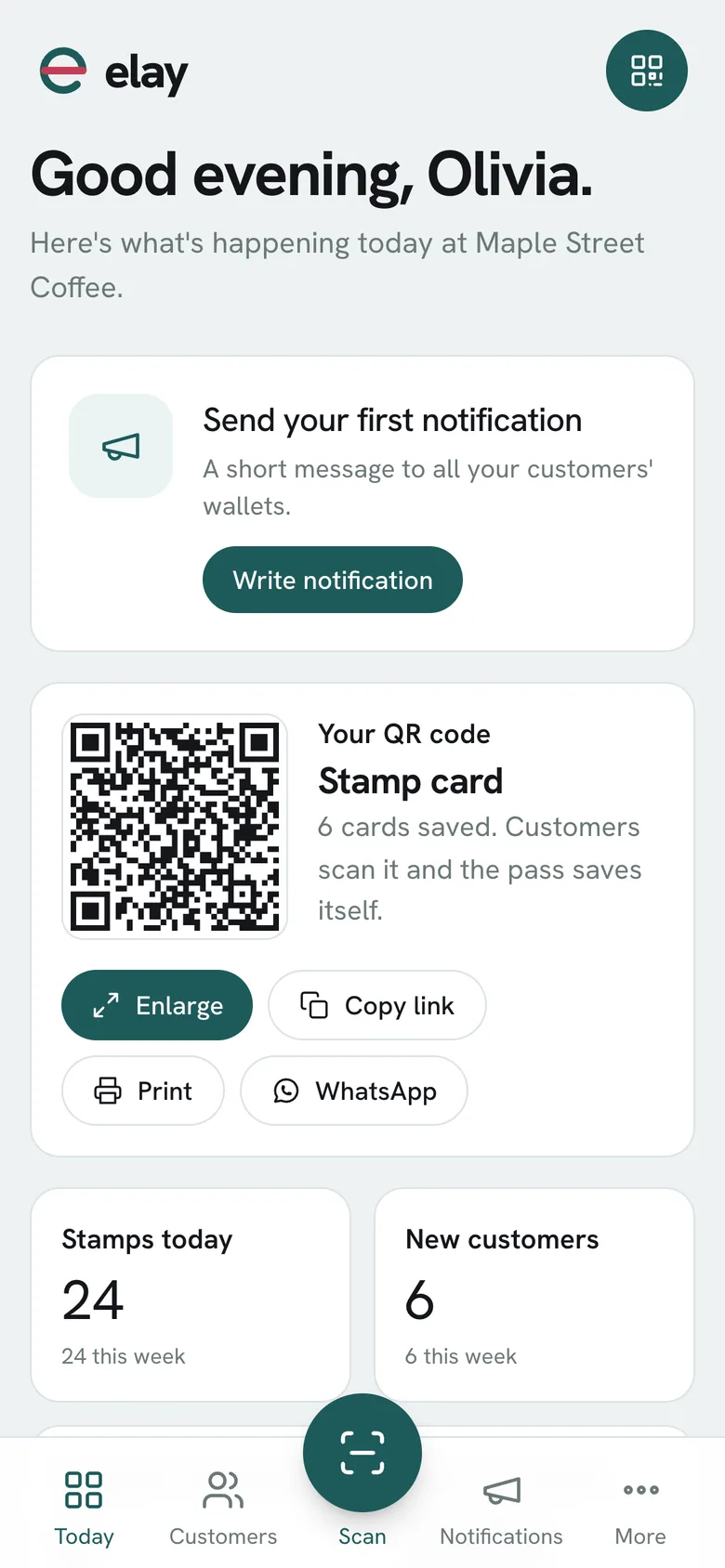
Today’s dashboard, live
See who came back, when, and how many stamps they have. Today’s stamps, rewards redeemed and your best customers, on your phone, as it happens.
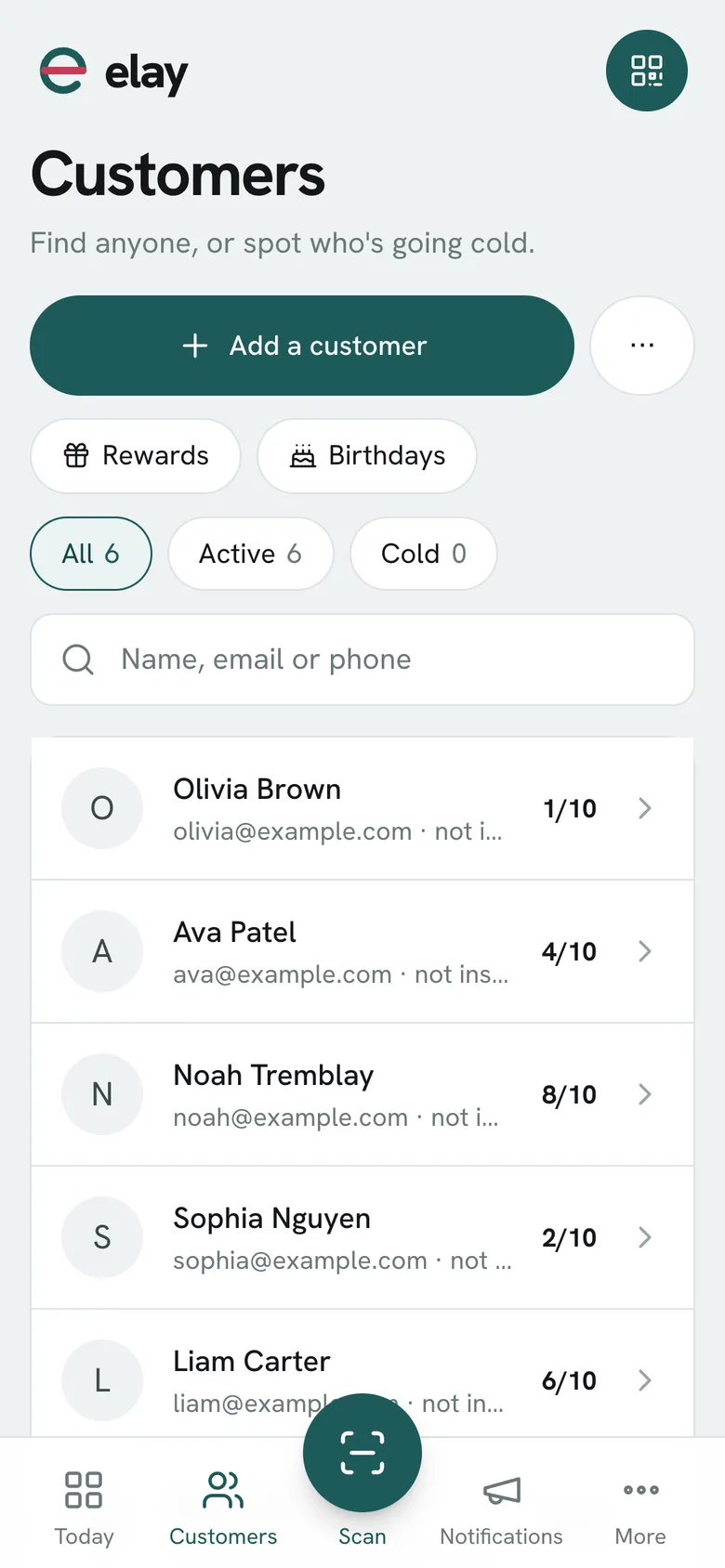
Your customer list, truly yours
Every customer who joins leaves their name and phone. Export everything anytime. If you ever leave, your list goes with you.
Stamps or membership: you choose the program
Stamps for regulars (4 to 12, with a reward). Membership with tiers and a fee. You can run both.
Locations and team roles
Each location with its own people. The Employee role gives stamps and nothing else. See how many stamps each person gave and set a daily limit per customer.
Automatic birthdays
A gift and a message, set up once. Every customer gets it on their birthday, without you having to remember.
The numbers behind loyalty
Keeping a customer costs 5 times less than winning a new one (Bain & Company). Raising retention by 5% can nearly double profits (Harvard Business School).

Tutorials
Learn it in a minute.
Real dashboard screenshots. What’s marked in red is where you tap.
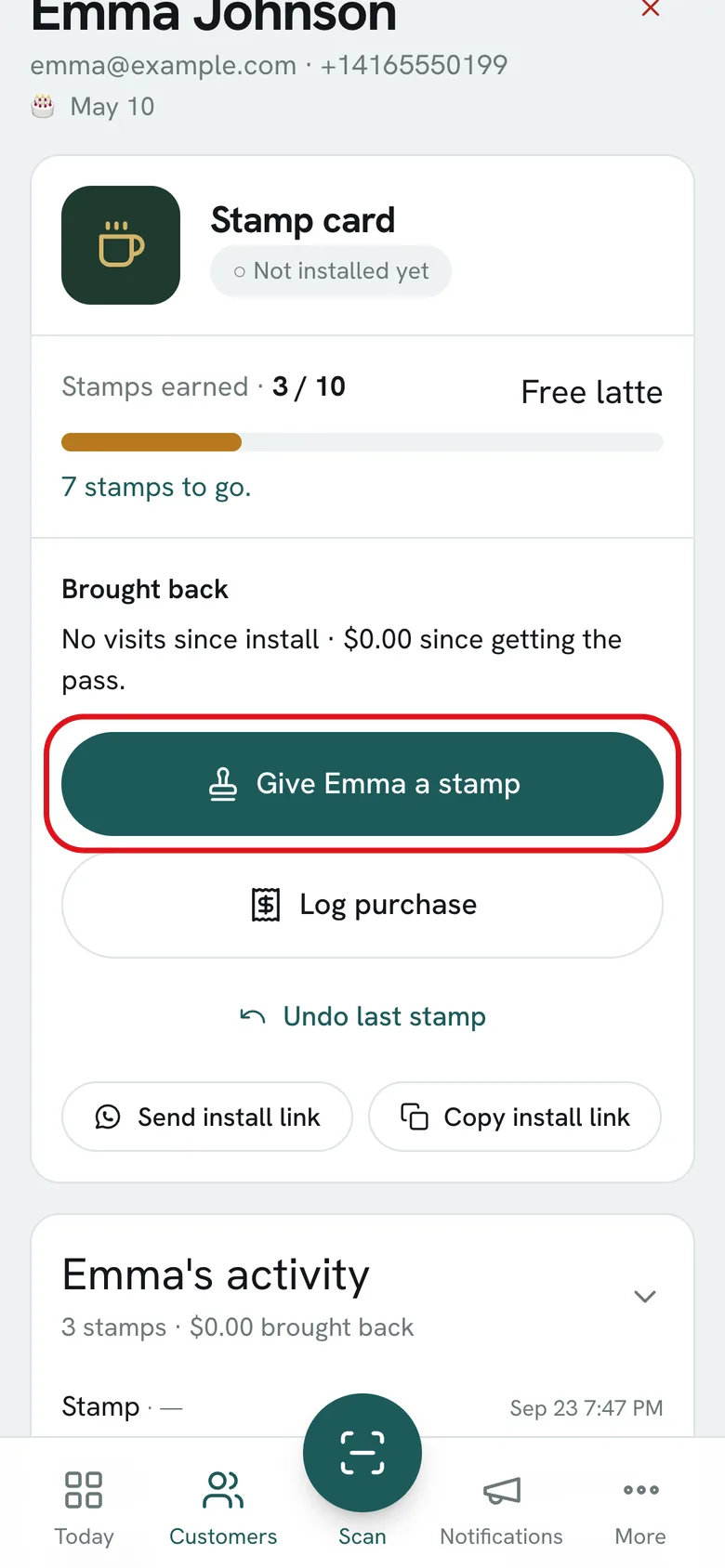
How to give a stampScan their card or look them up by name. 5 seconds.
-
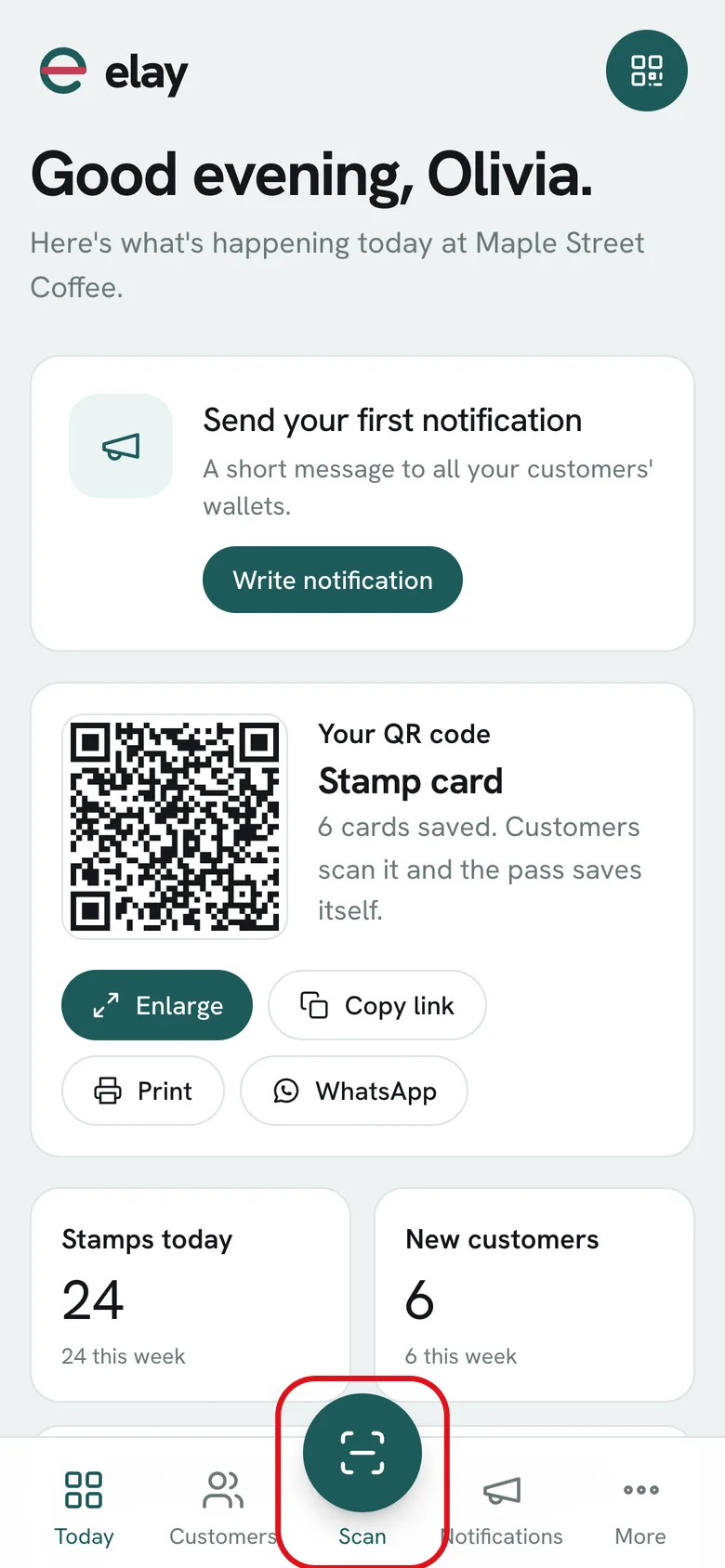
01In the dashboard, tap Scan: the center button at the bottom. Works on phone, tablet or computer.
-
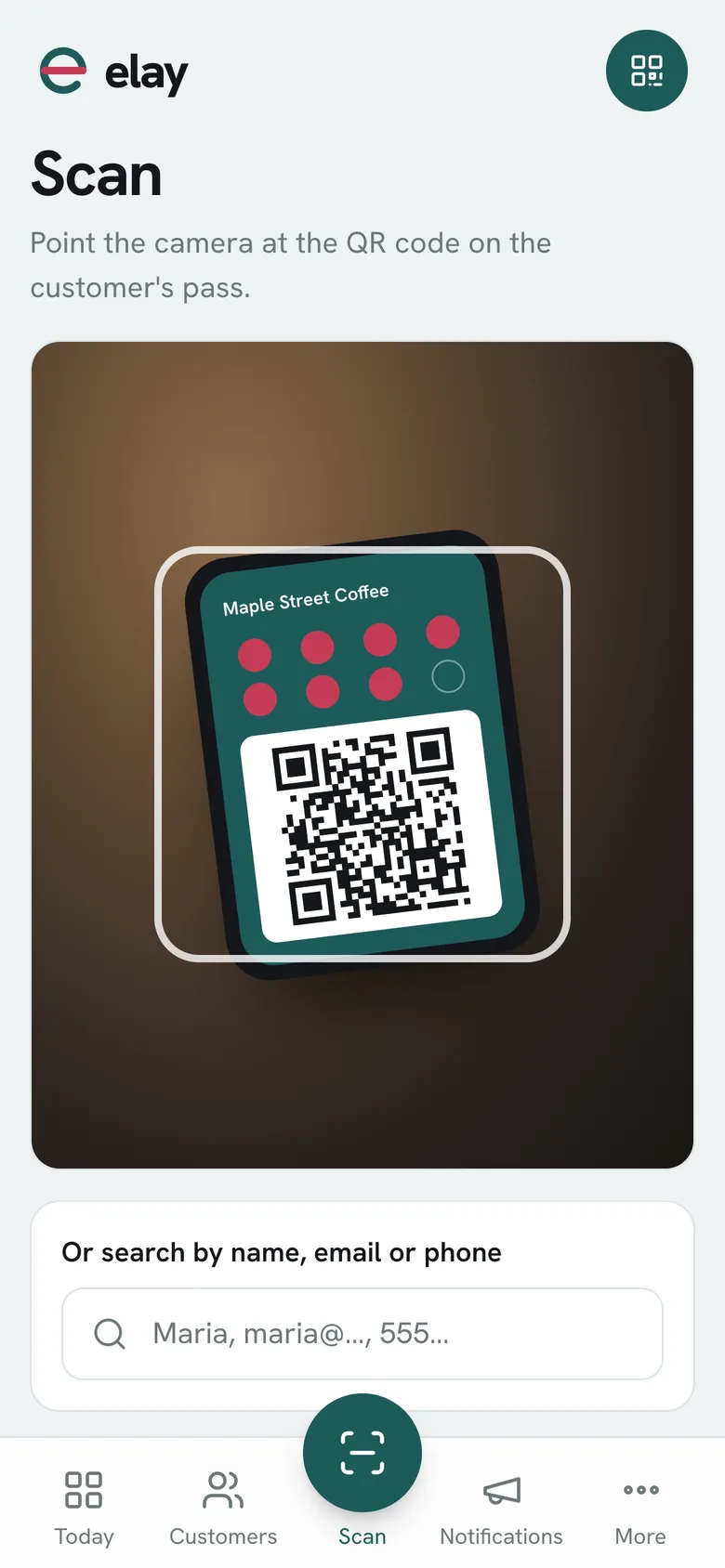
02Point the camera at the code on their card. It reads it instantly.
-
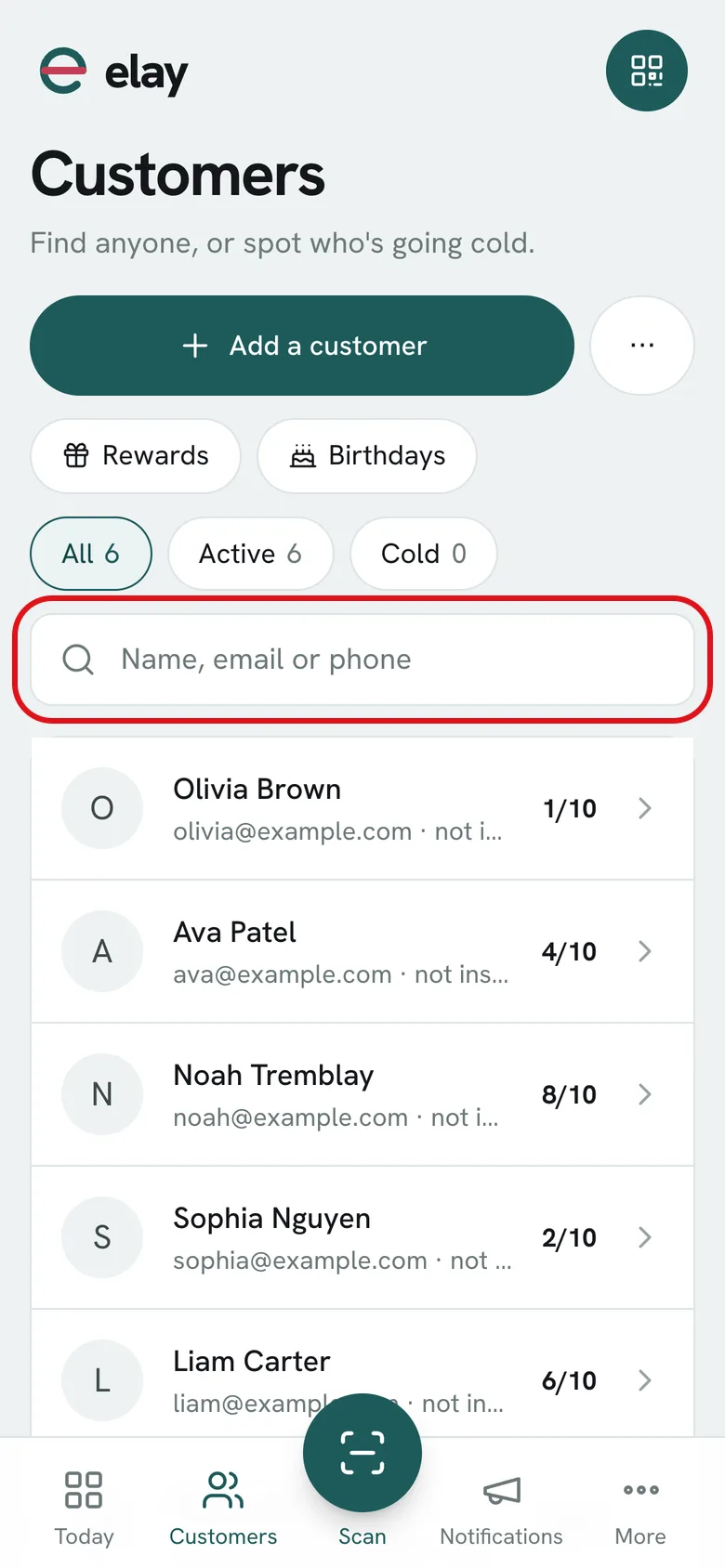
03No camera handy? Go to Customers and search by name, email or phone.
-
04Their profile opens: tap Stamp. Right there you can log what they spent, or undo it if you made a mistake.
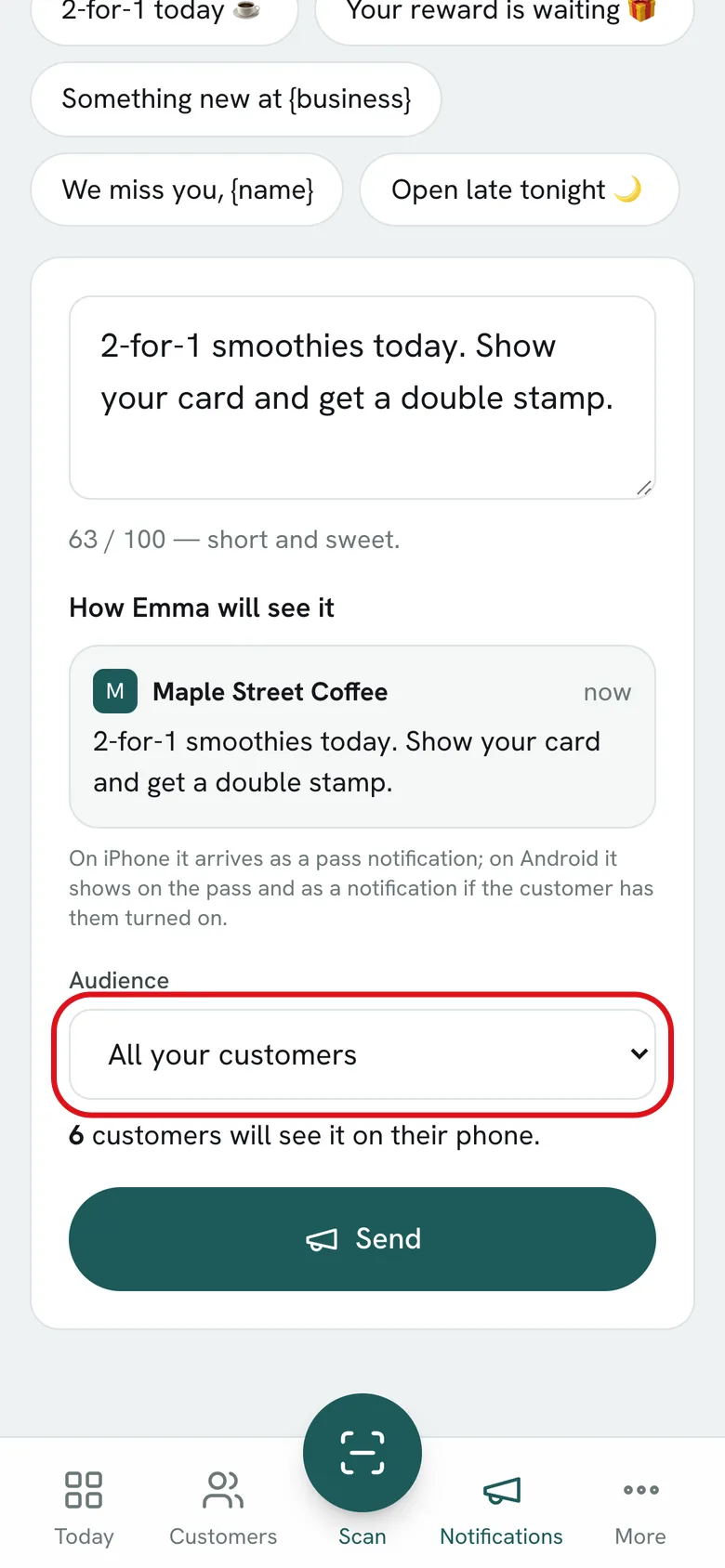
How to send a notificationWrite it in 20 seconds and it lands on their lock screen.
-
01Tap Notifications in the bottom bar.
-
02Write your message, like a text: 100 characters max. Below you see how each customer gets it.
-
03Tap Send: it goes out right away to every customer with your card. It tells you how many.
-
04Only some of them? Under Audience pick: no visit in 30 days, close to a reward, new customers.
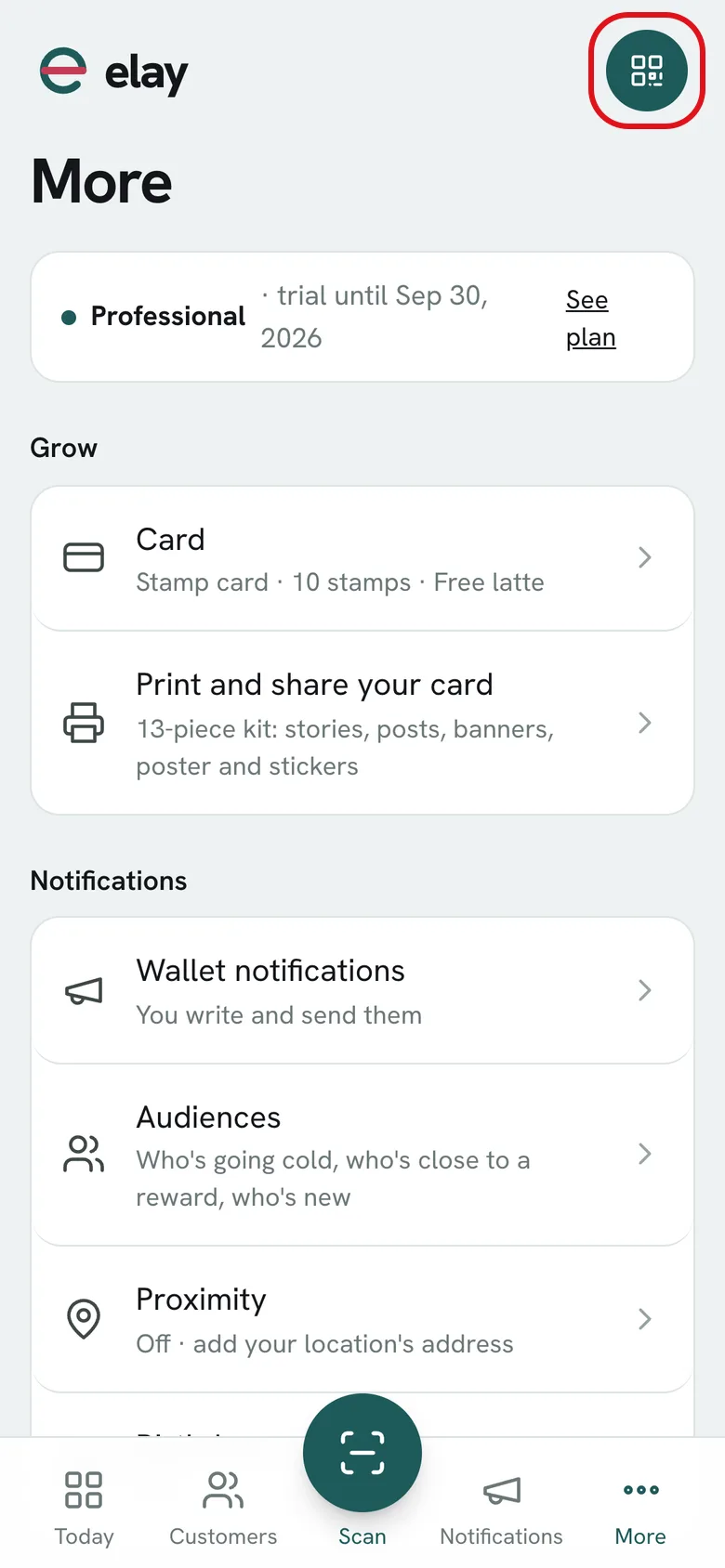
How to share your cardPrint your QR for the counter and share the link on social media.
-
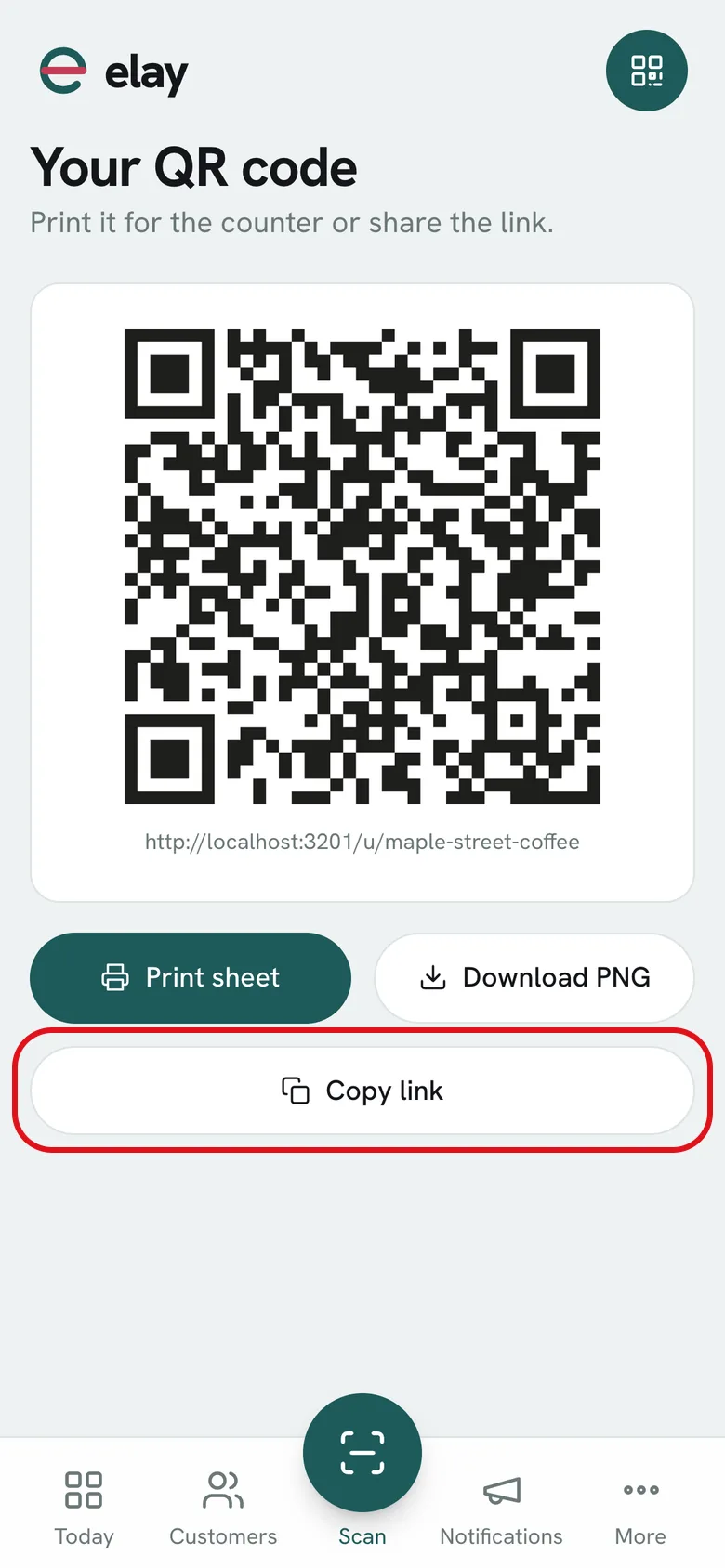
01Tap the QR button, top right. It’s on every screen of the panel.
-
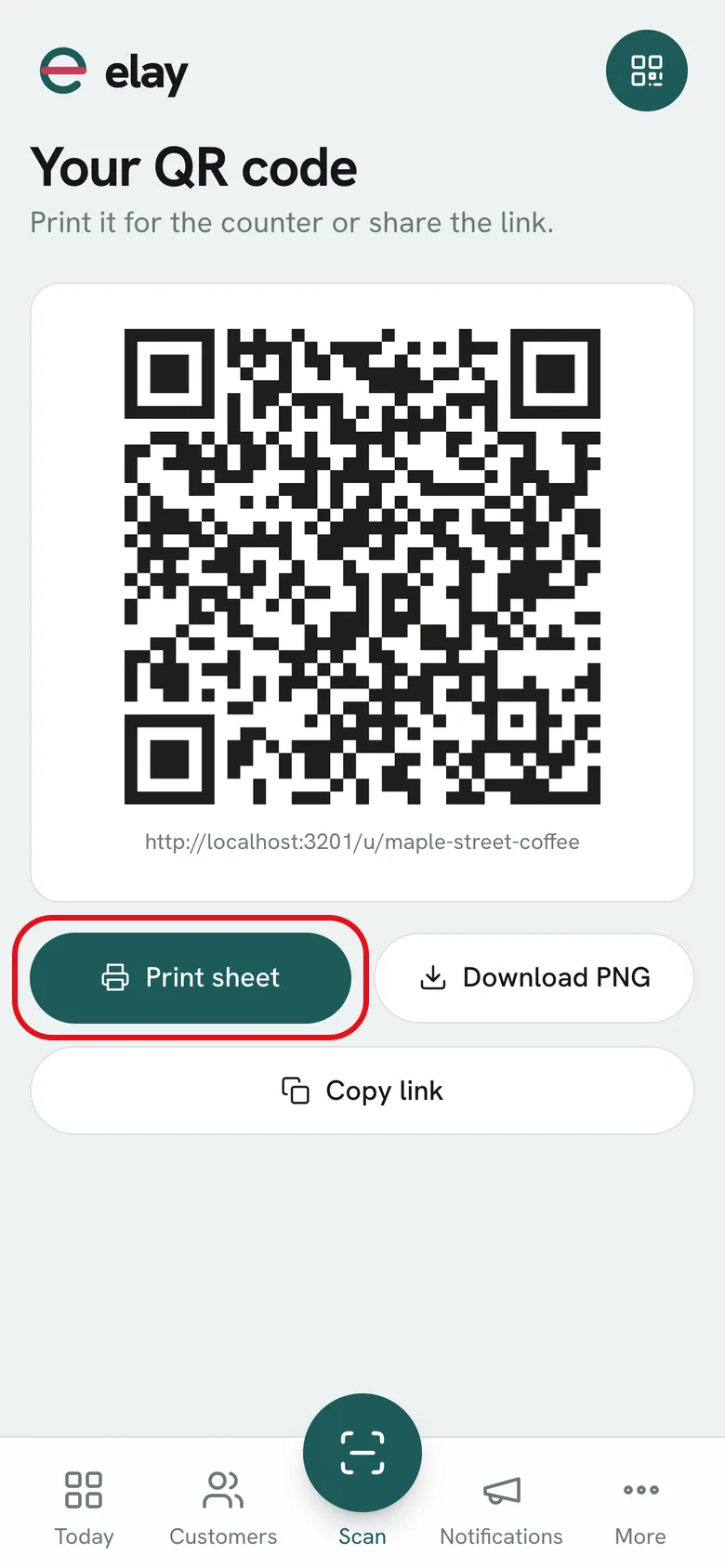
02Tap Print sheet: you get a PDF poster in your card’s style, ready for the register.
-
03Tap Copy link and paste it in your Instagram bio or send it by text.
-
04The result: your QR at the counter. Whoever scans it saves the card on their phone, without downloading anything.
How to manage locations and teamEach location with its people and its daily stamp limit.
-
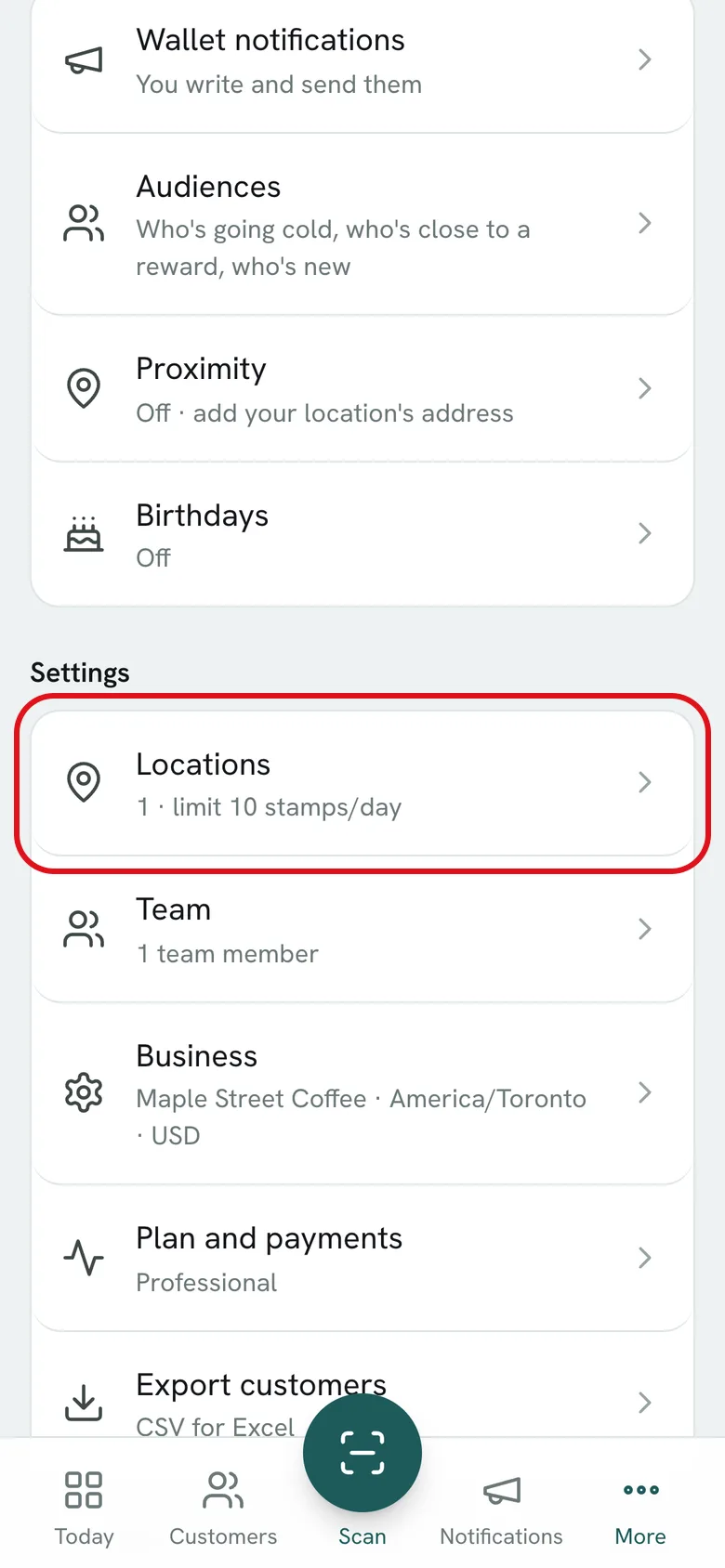
01Open More and go to Locations.
-
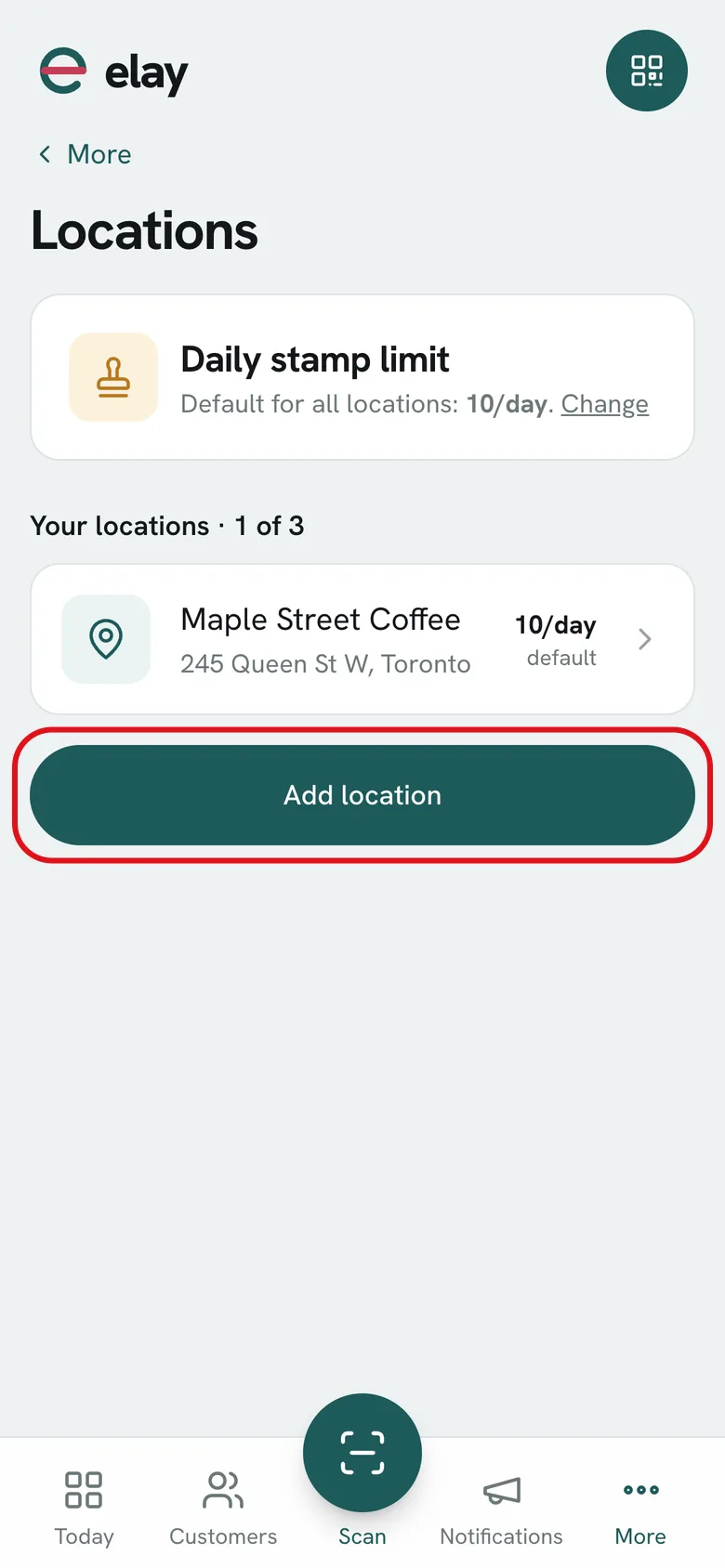
02Tap Add location: name and address. Your team scans from there.
-
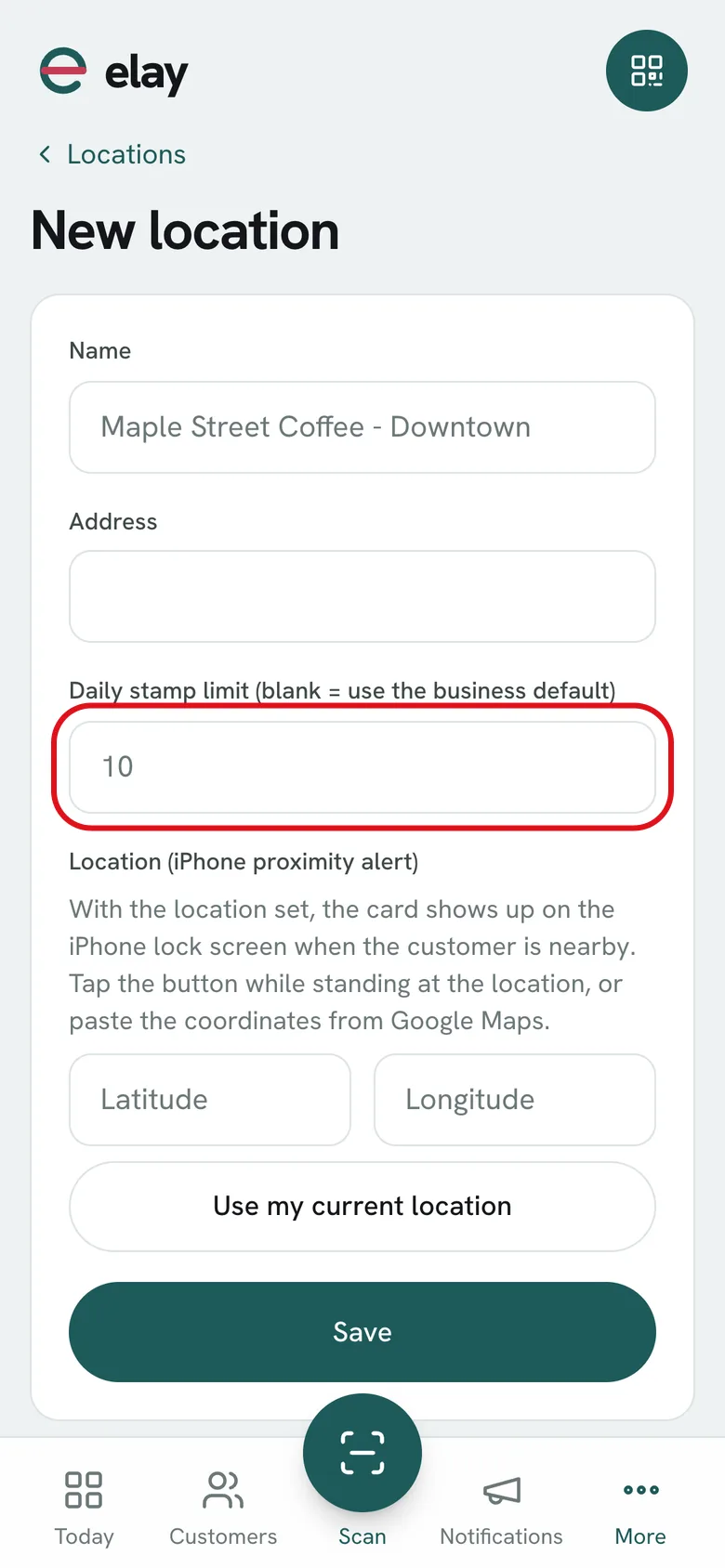
03Set the daily stamp limit per customer: it prevents double stamping by mistake. It applies to all of them, and each can have its own.
-
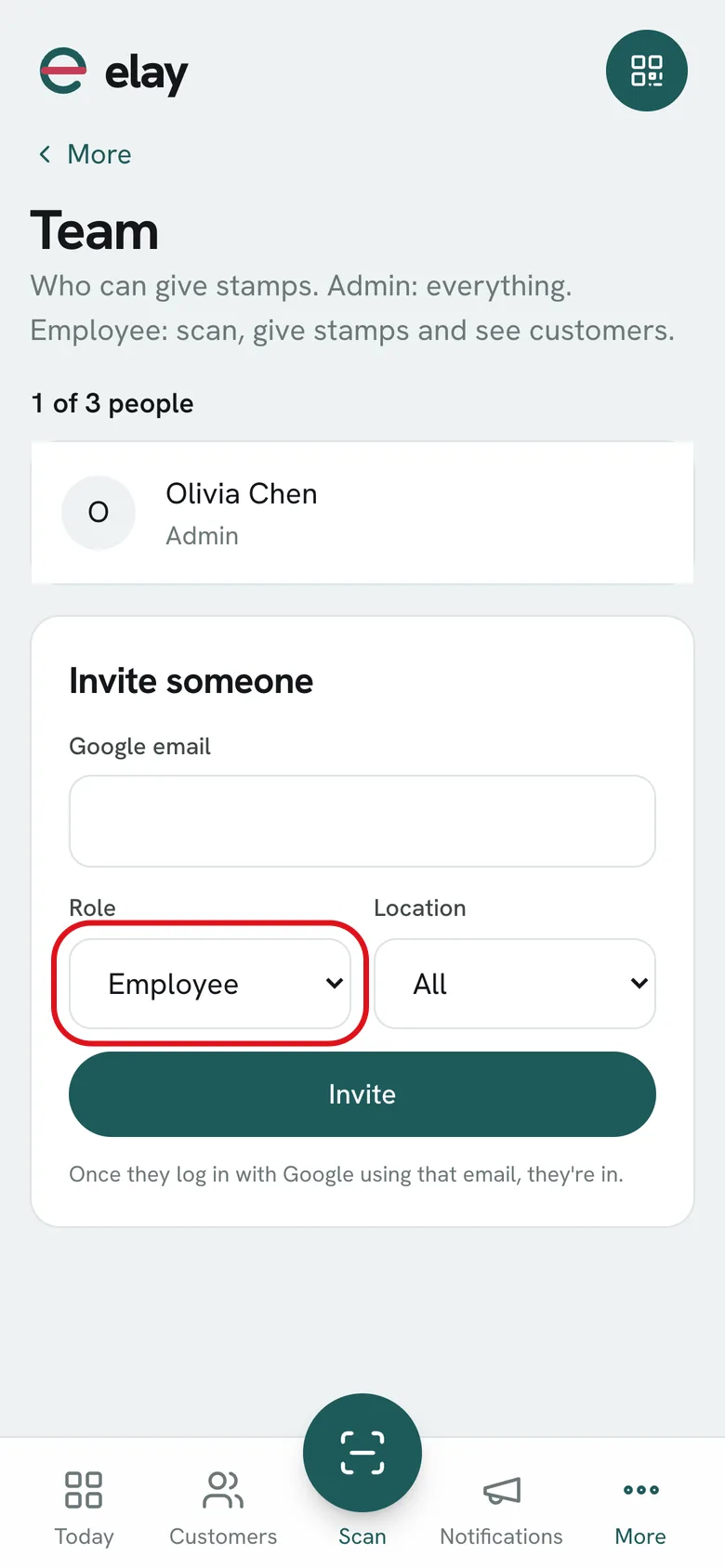
04Go to Team and invite your people with the Employee role. You see how many stamps each person gave.
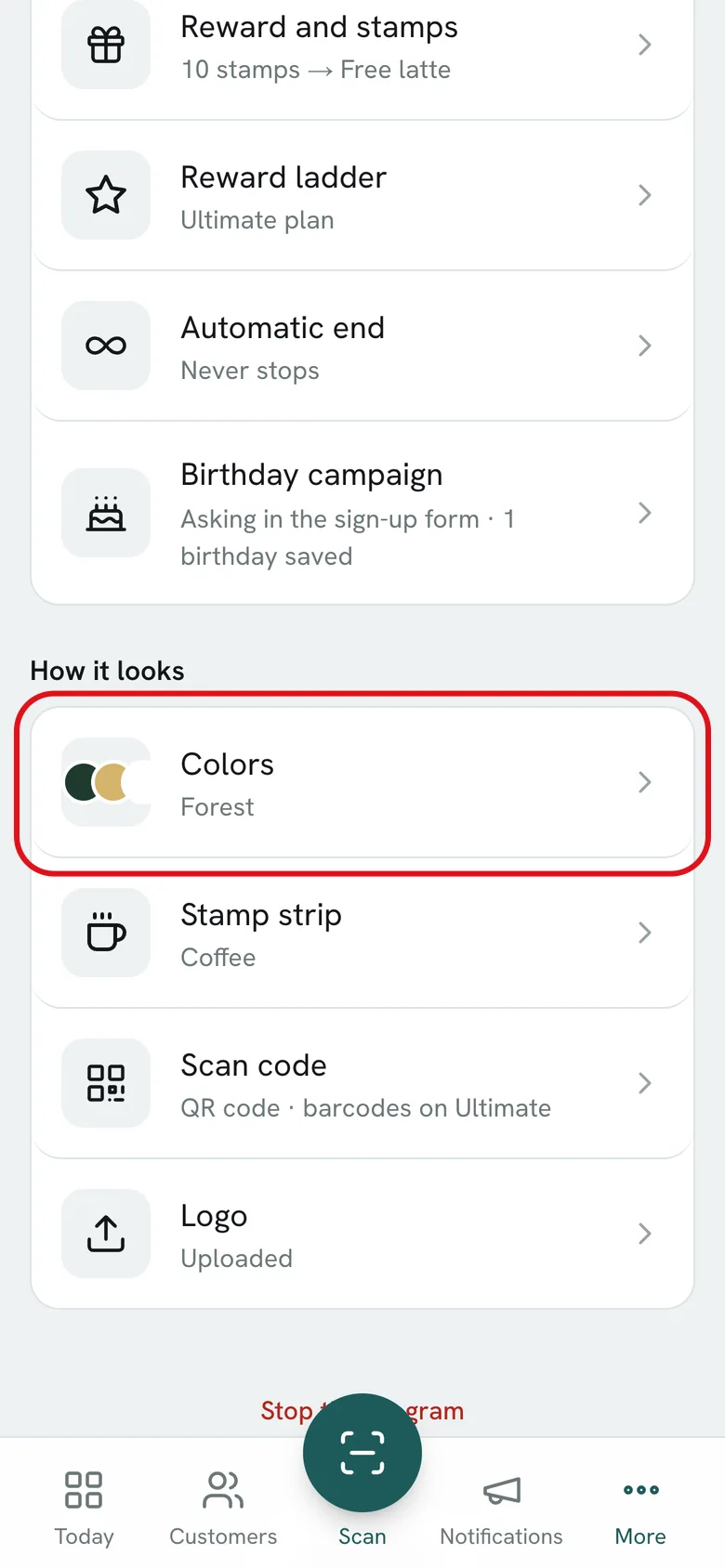
How to design your own cardColors, stamp icon and a strip you design yourself.
-
01Open More, go to Card and tap Colors.
-
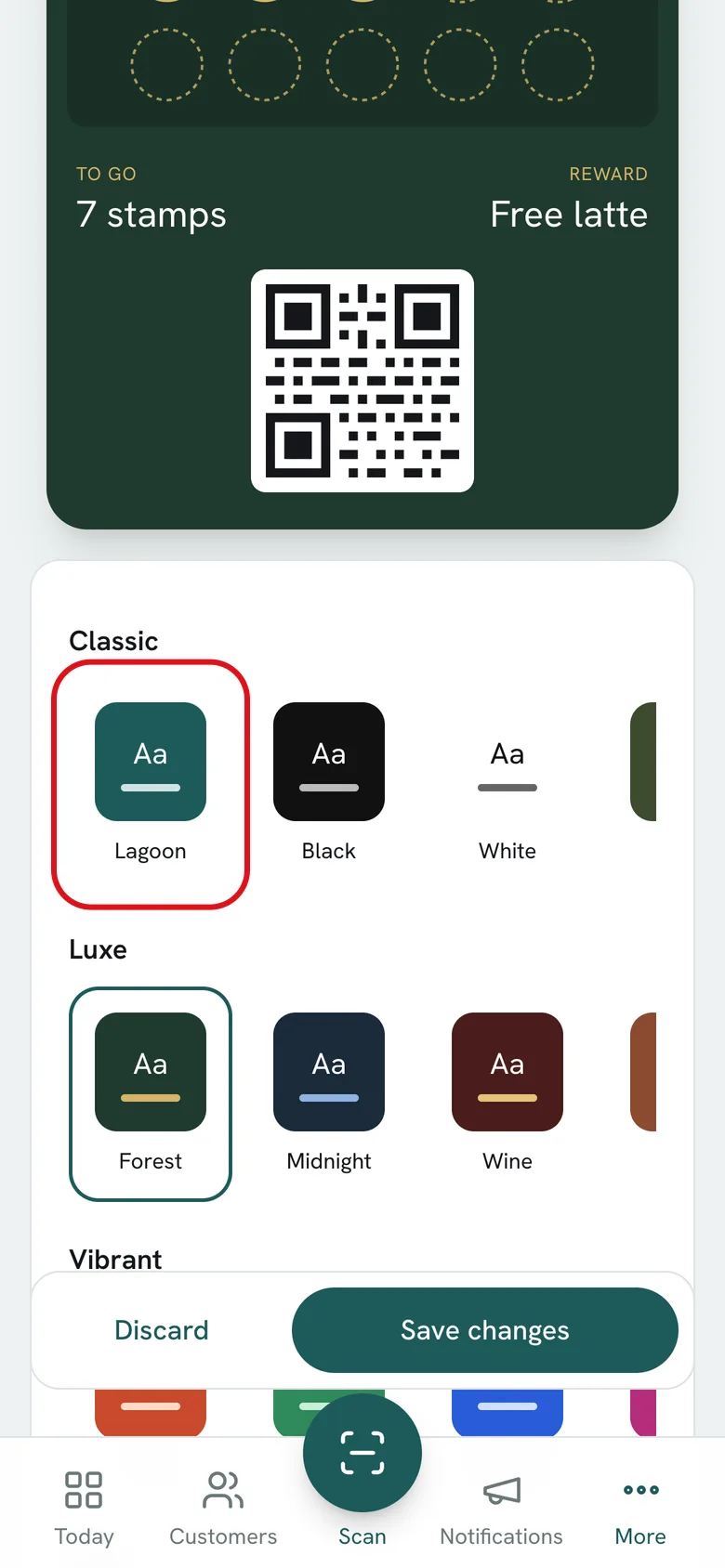
02Pick one of the styles or set each color by hand. You see it on the pass before saving.
-
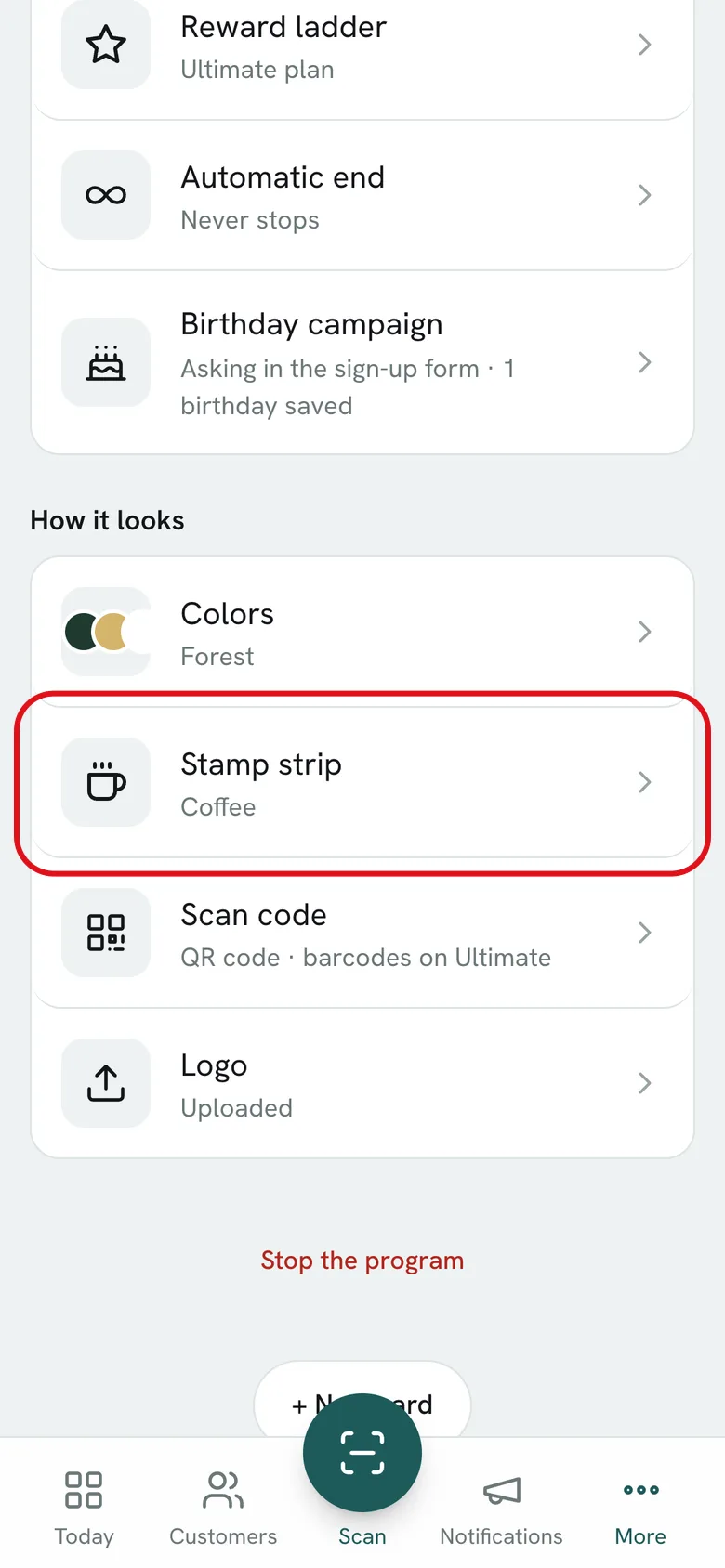
03Go back to Card and tap Stamp strip.
-
04Pick the stamp icon or upload your own pieces: background, empty stamp, full stamp and completed strip. Design them in Canva with the template.
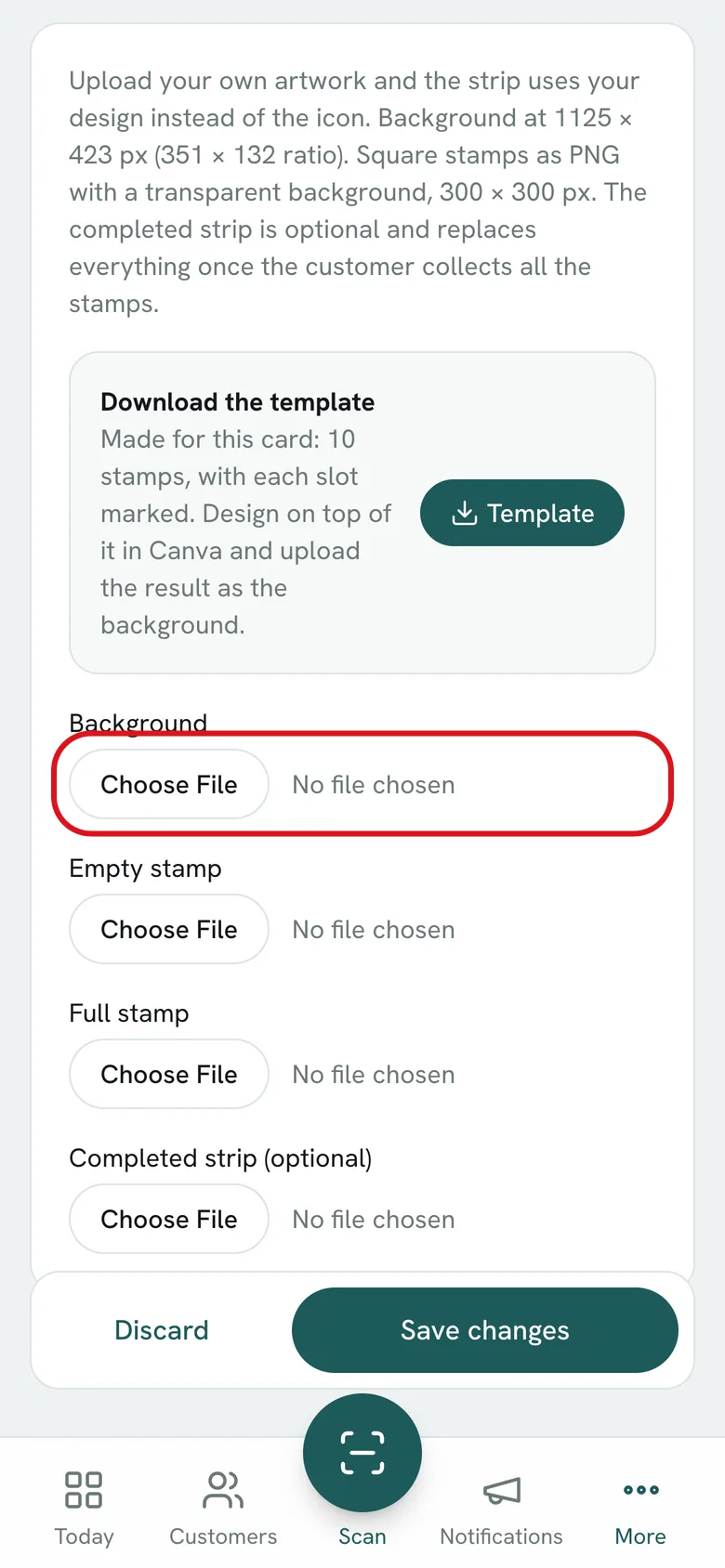
-
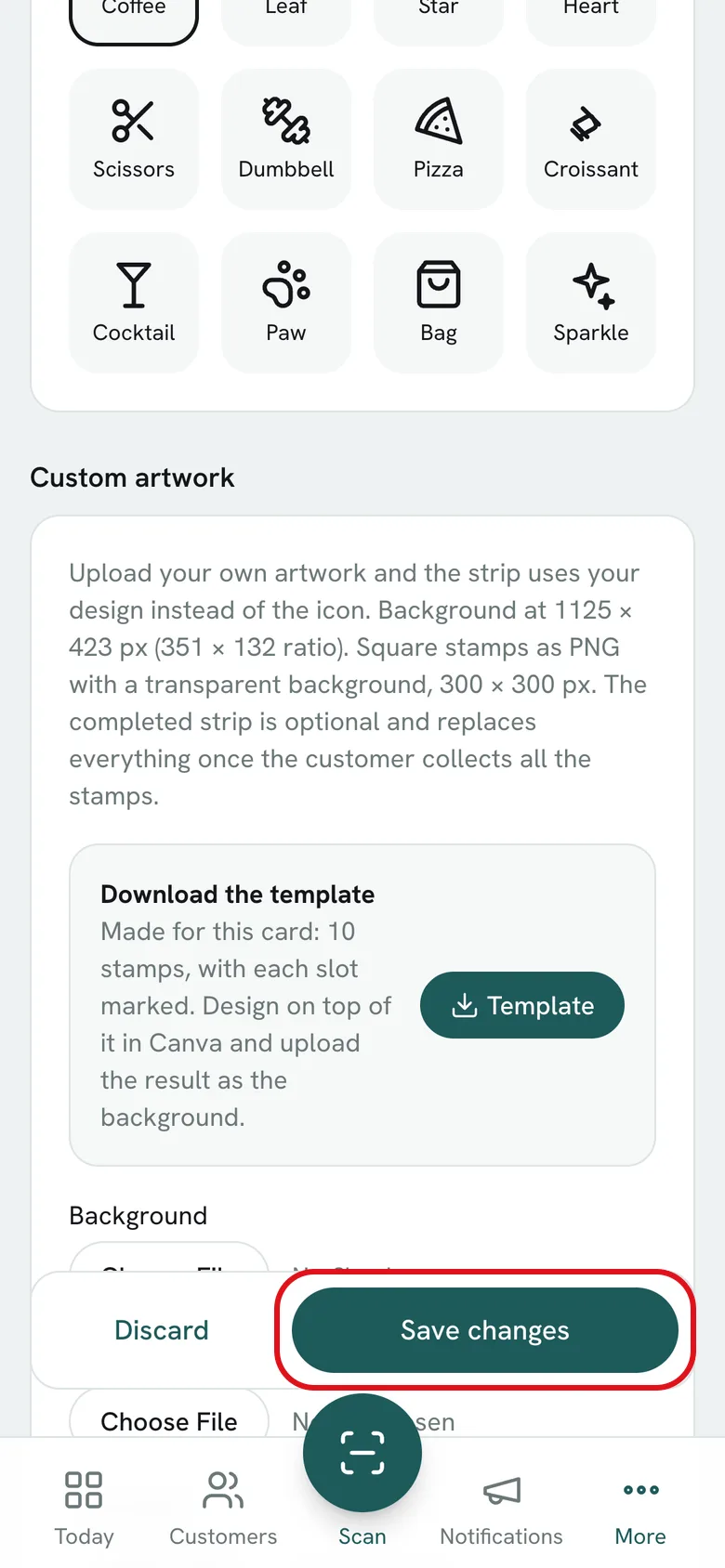
05Tap Save changes. Everyone’s pass updates, nothing to resend.
How to celebrate birthdaysSet it up once and every customer gets a gift on their birthday.
-
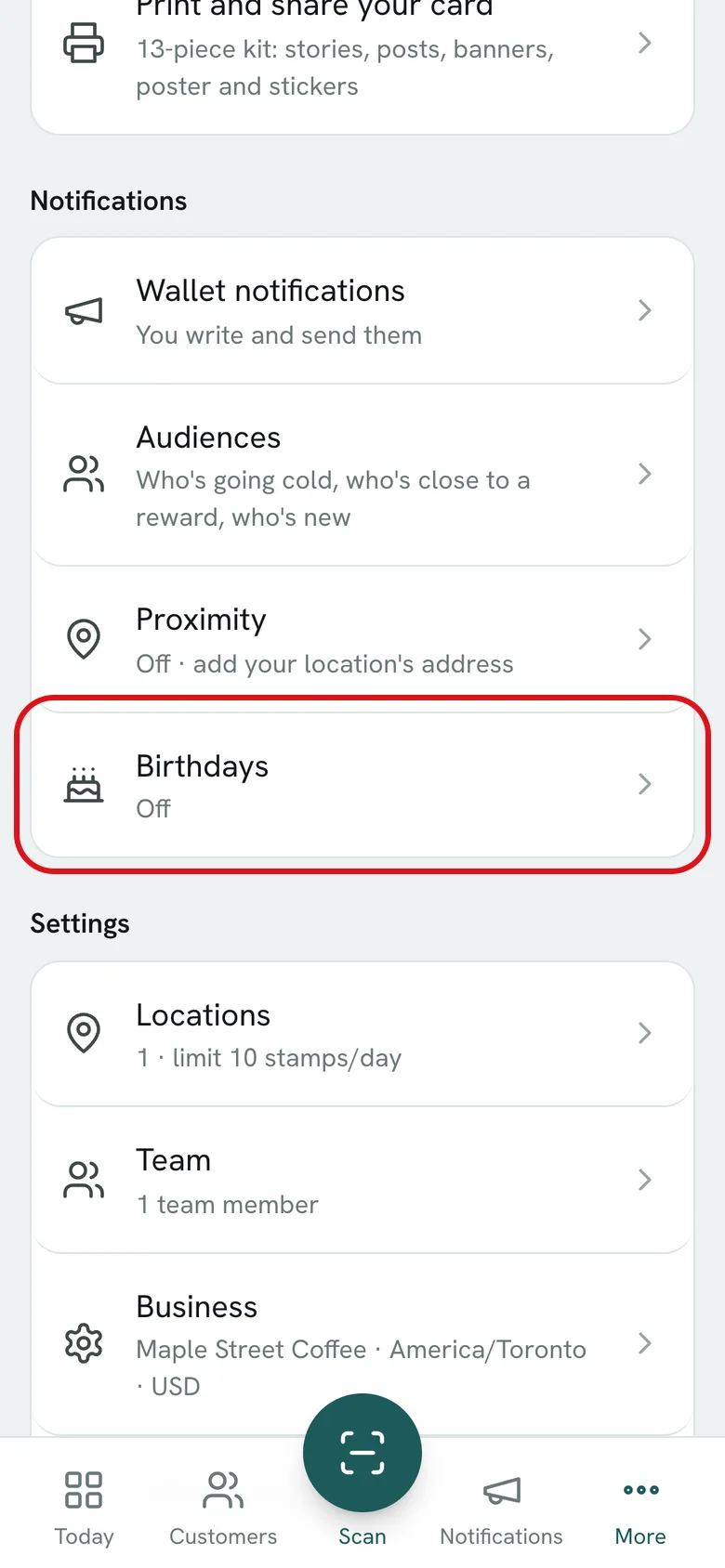
01Open More and go to Birthdays.
-
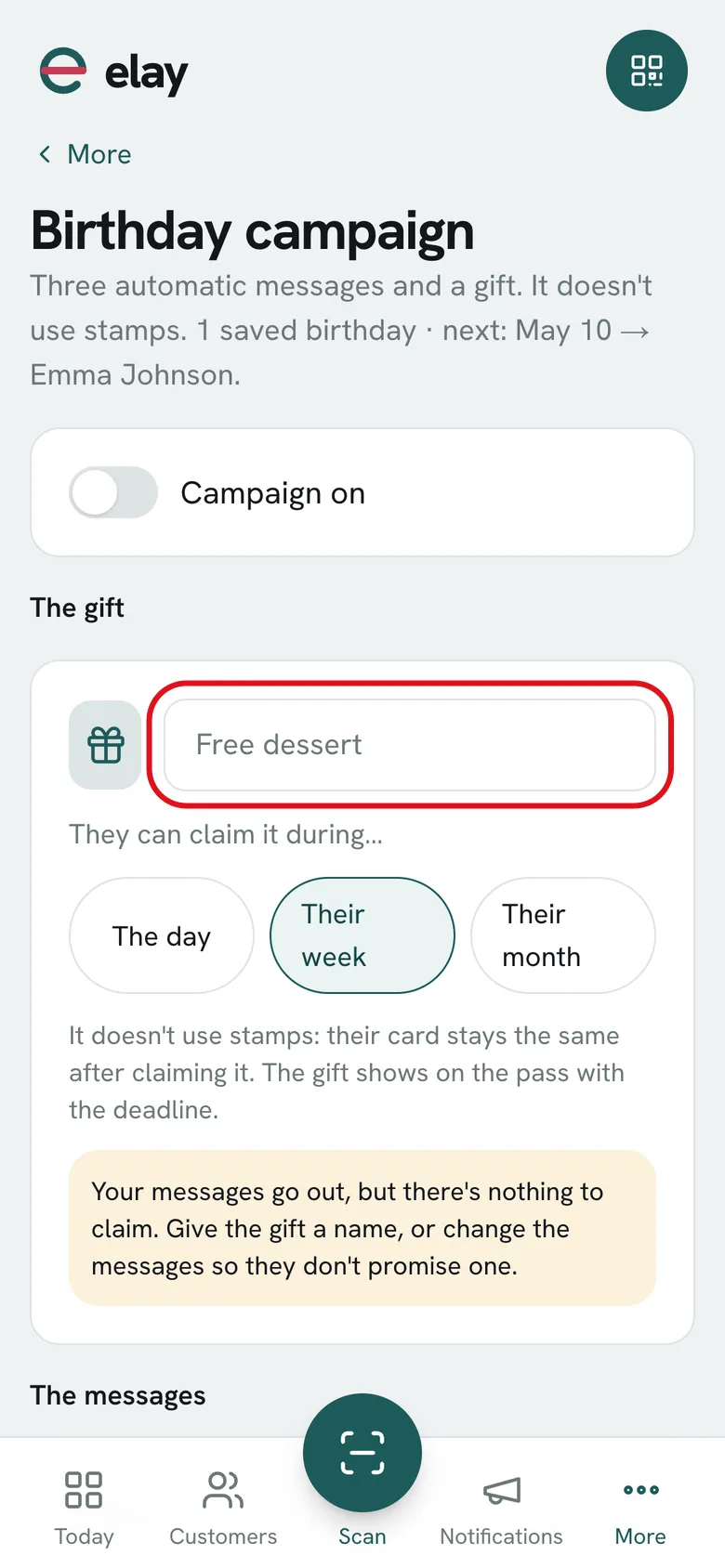
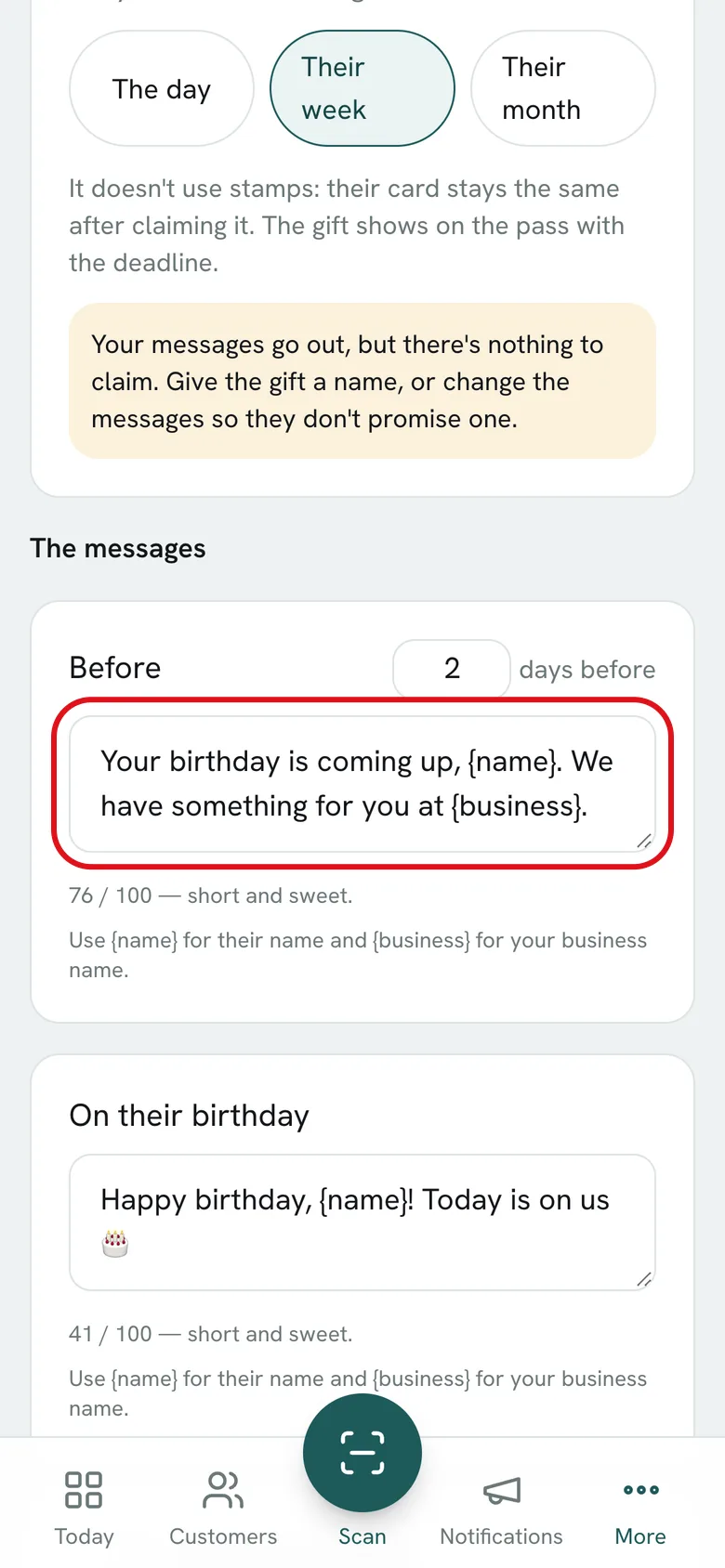
02Name the gift and choose how long they have to claim it: the day, their week or their month. It doesn’t use stamps.
-
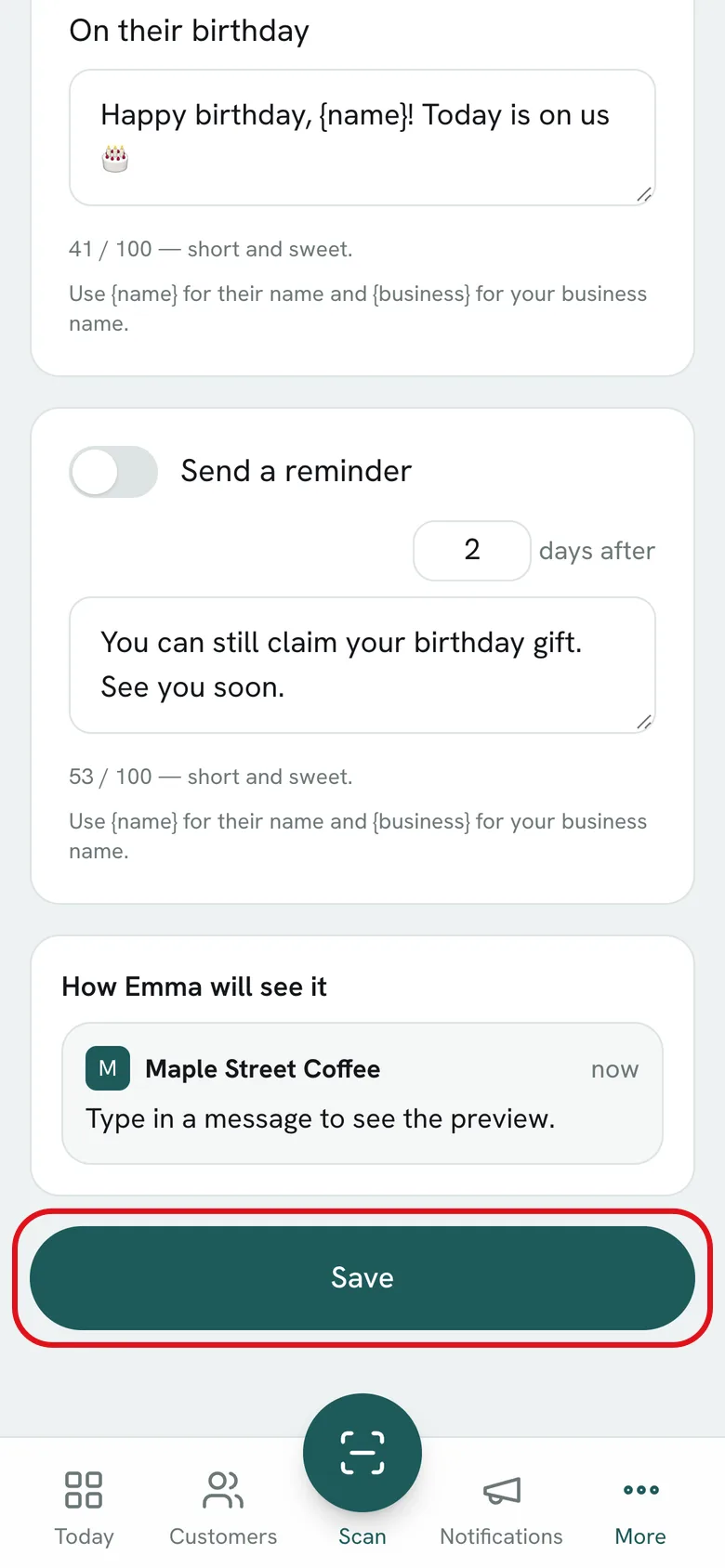
03The messages come pre-written: one before and one on the day. If you like, turn on the reminder for anyone who hasn’t claimed it. See right there how they arrive.
-
04Turn the campaign on and tap Save. From then on it runs by itself, every day.
Now you’ve seen how it works. Try it with yours.
Create my free cardSign in with Google · No credit card · 7 days free
Use cases
How businesses like yours use it.
Pick your industry and see the program set up.
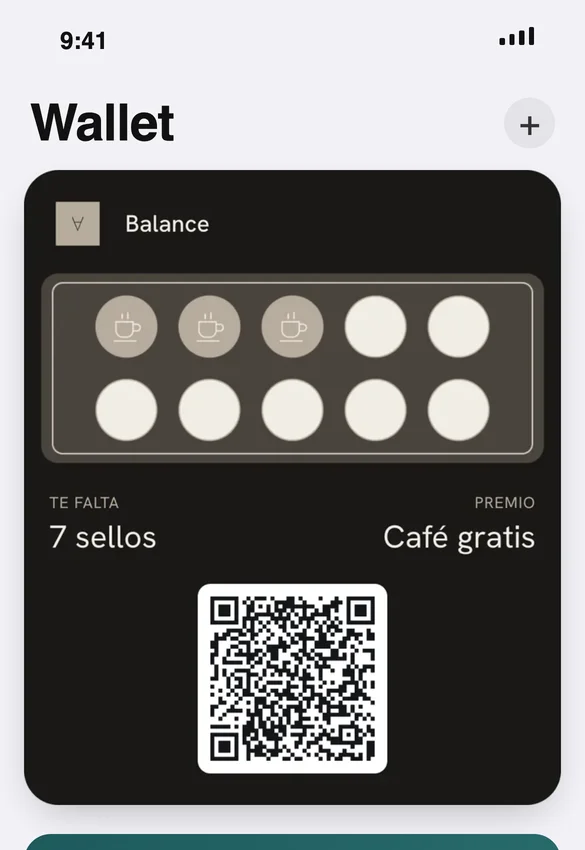
Coffee shop
Balance Cafe · Protein Bar
🇧🇴 Santa Cruz, Bolivia
The program: Stamps: 10 coffees and the next one is on the house.
- The QR sits on the café counter, inside the gym: they scan it while ordering their shake.
- Notifications with the deal of the day for the people who train there.
- On their birthday they get a free coffee, without anyone having to remember.
- When they walk by, the card shows up on their phone: “You’re near Balance. Show your card.”
The goal: That the people who train every day also get their coffee here.
Clinic
Recovery
🇧🇴 Santa Cruz, Bolivia
The program: Stamps: 4 recovery sessions and the next one is free.
- QR at the front desk: customers save the card at their first session.
- Anyone who hasn’t come back in 30 days gets a reminder to book their next session.
- Those one session away from the free one get a nudge.
The goal: Making recovery a habit, not a one-off visit.
Artisan kefir
Innata
🇧🇴 Santa Cruz, Bolivia
The program: Stamps: 8 kefirs and the next water kefir is on the house.
- Customers scan the QR when they buy and save the card on their phone.
- Notifications with the deal of the week: “Free kefir on Saturday.”
- Anyone who fills their card gets “Your reward is waiting.”
- It asks for their birthday at sign-up, so they get a gift that day.
The goal: Making kefir part of the routine, not a one-time purchase.
Fashion
Marferr
🇧🇴 Santa Cruz, Bolivia
The program: Marferr VIP: 6 purchases and the next one is 20% off.
- Customers scan the QR when they buy and the card lands on their phone, in the brand's colors.
- A notification when the new collection arrives, to everyone who has bought before.
- On their birthday they get a gift, without anyone having to remember.
- Anyone 1 purchase away from the discount gets a nudge.
The goal: Bringing customers back for their next handbag instead of buying it elsewhere.
Coffee shop
Santa Cafeína
🇧🇴 Santa Cruz, Bolivia
The program: Club Santa Cafeína: 8 stamps and a surprise reward.
- Customers scan the QR when they order and save the card on their phone, no app to download.
- Every purchase adds a stamp instantly and they watch their card fill up.
- When they hit 8 they get “Your reward is waiting” and the card starts over.
The goal: Making this the place for their everyday coffee.
Jewelry
Rodina
🇧🇴 Santa Cruz, Bolivia
The program: Stamps: 8 purchases and a surprise reward.
- Customers scan the QR when they buy and the card lands on their phone, in the brand's colors.
- A notification when new rings, earrings or necklaces arrive, to everyone who has bought before.
- Anyone 1 purchase away from the reward gets a nudge.
The goal: Making sure their next piece of jewelry is from Rodina too.
Barbershop
The program: Stamps: 6 haircuts, the 7th is free.
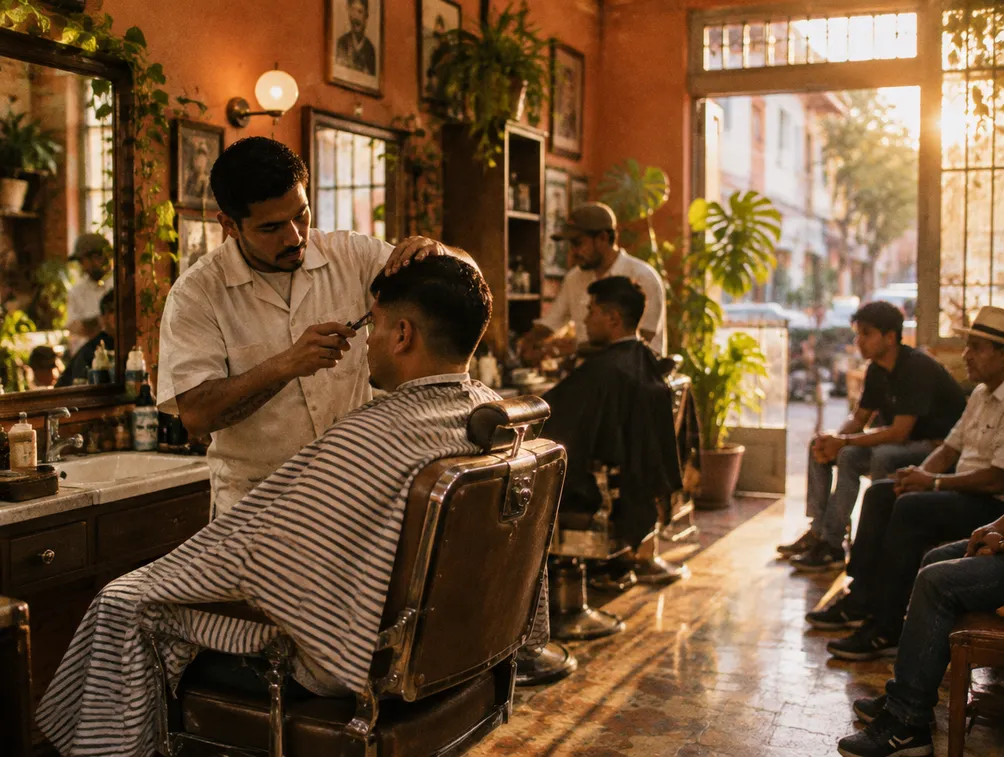
- A QR on the mirror at every chair.
- Thursday notification: Saturday slots still open.
- Birthday: a discounted cut the week of their birthday.
The goal: Keep them from trying the new barbershop down the street.
Restaurant
The program: Stamps for the lunch special: 4 lunches, 1 free.
- The lunch special earns a stamp.
- A QR poster on every table: they scan it while they wait for their food.
- Sunday notification: family barbecue today.
The goal: Full tables without relying on delivery apps.
Retail shop
The program: 1 stamp for every purchase over Bs 100.
- The QR goes in every shopping bag and on your Instagram profile.
- Export your list and know who buys what.
- A notification when new products arrive.
The goal: Turn one-time buyers into regulars.
Now picture yours, with your logo and your reward.
Create my free cardSign in with Google · No credit card · 7 days free

Your data is yours. And it’s protected.
Your business information and your customers’ is used only to run your loyalty program. It is never sold or shared with anyone.
Who owns the data?
You and your customers, always. elay only manages it so your program works.
How is it sent and stored?
Every dashboard session and every card travels over an encrypted connection. Only you and the team members you authorize can access your account.
Can I export or delete everything?
Yes. Export your list anytime and, if you decide to leave, request full deletion by email.
Read the privacy policy and the terms of service.
Your data is yours from day one.
Create my free cardSign in with Google · No credit card · 7 days free
Made by business owners, for business owners.
elay started as the tool for our own businesses, Balance and Recovery. It’s the tool we wish we’d had: simple, affordable, and built by people who stamp cards at their own counters.
Built in-house
We write and maintain the software ourselves. Every dashboard improvement comes from the same team.
We use it every day
We give stamps at our own counters. If something’s annoying, we feel it first.
We’re here
Real people answer, during business hours, by email.
FAQ
What people ask us every day.
Straight answers. If you can’t find yours, write to us.
Do my customers need to download an app?
No. The card lives in Apple Wallet or Google Wallet, which already come on their phone. A QR code or a link, and that’s it.
Is elay an app? Where do I download it?
There’s nothing to download: elay is a web app. Open it in the browser on your phone, tablet or computer, and pin it to your home screen like any other app.
How long does setup take?
40 seconds for your basic card. If you want, we’ll help you by email during your first week.
Does it work offline?
Yes. Once saved, the card shows up with no signal. Stamps sync as soon as the connection is back.
Does the proximity alert work on every phone?
For now, iPhone only: it’s an Apple Wallet feature. On Android the card, stamps and the notifications you send all work the same; only the walk-by alert is missing. The phone decides the exact distance, around 100 meters.
How do I pay?
In bolivianos, by bank QR. No credit card and no charges in dollars. We send you the QR and confirm the payment the same day.
Can I send my customers a birthday greeting?
Yes, and it goes out by itself. Set up the gift once and every customer gets it on their birthday. Included from the Professional plan.
What happens to my customers’ data?
It’s yours. Export it anytime. We never sell or share it.
Can I cancel anytime?
Yes. Billing is month to month: if you don’t pay the next month, your account becomes read-only and your data stays there to export.
Is the dashboard available in English?
Yes. The dashboard, the passes and the sign-up page are in English, and each team member can switch the dashboard to Spanish.
Sign in with Google · No credit card · 7 days free