How to greet customers on their birthday
Set it up once: three messages and a gift that doesn't use up stamps.
-
1
First, ask for birthdays: in More → Card → Reward and stamps, turn on Ask for their birthday at sign-up.
-
2
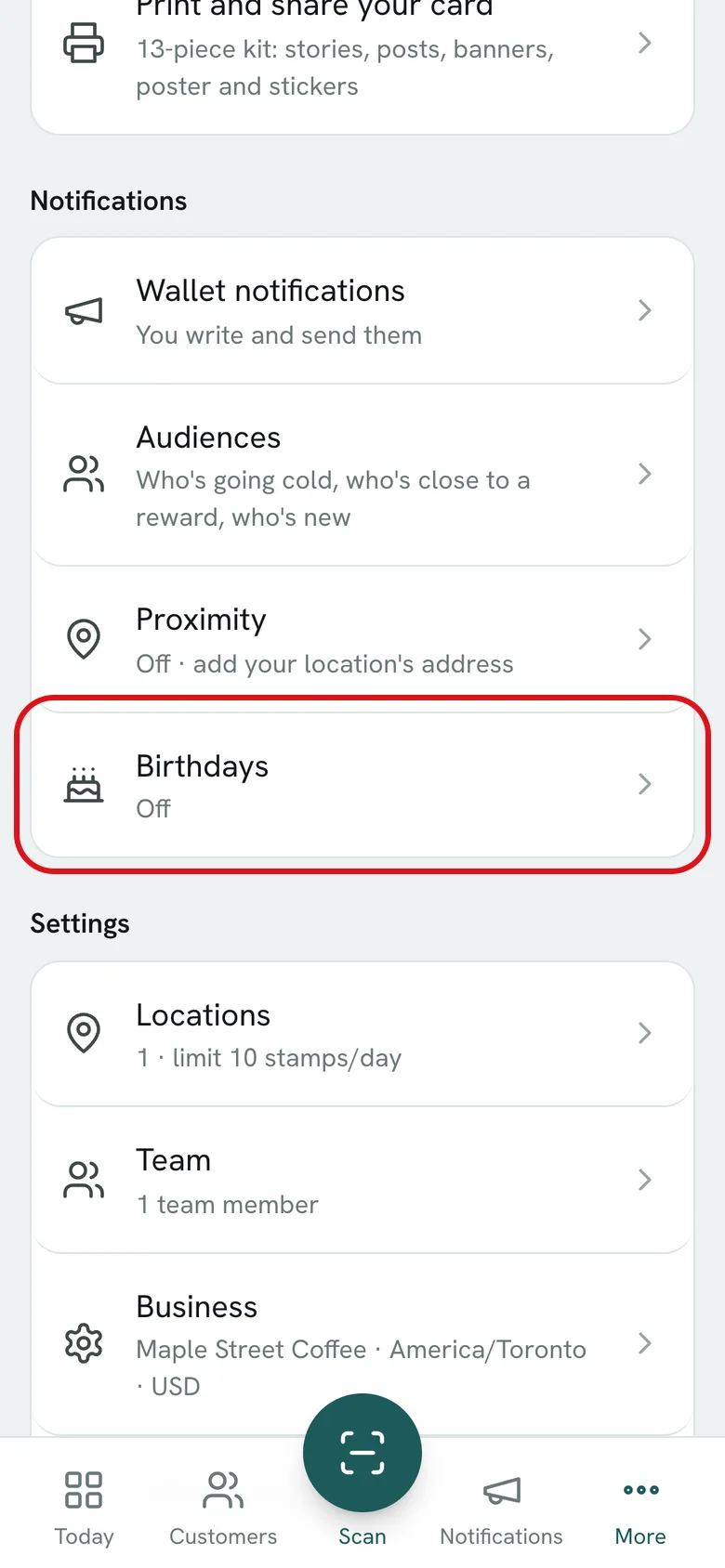
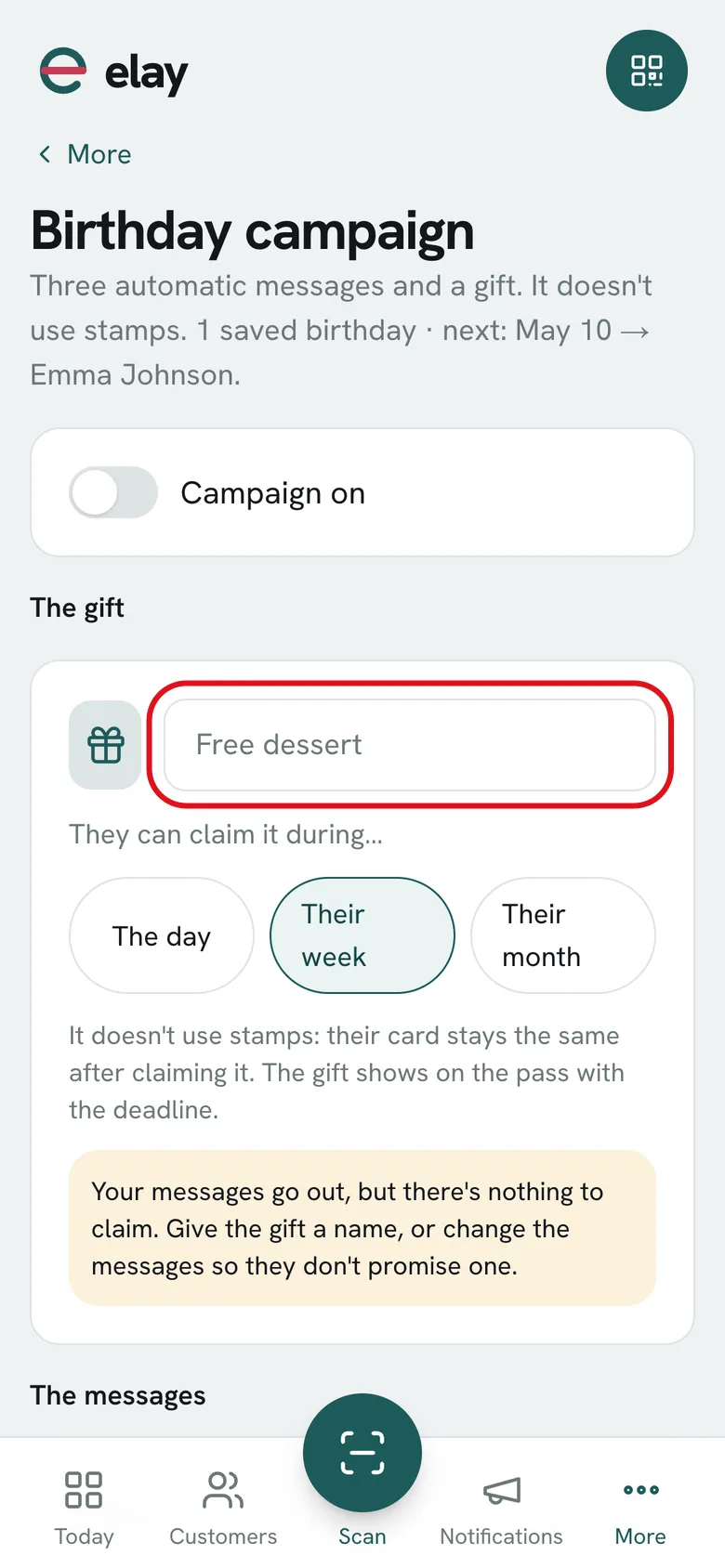
Open More → Birthdays and name the gift, like Free dessert.
-
3
Choose how long they have to claim it: the day, their week or their month.
-
4
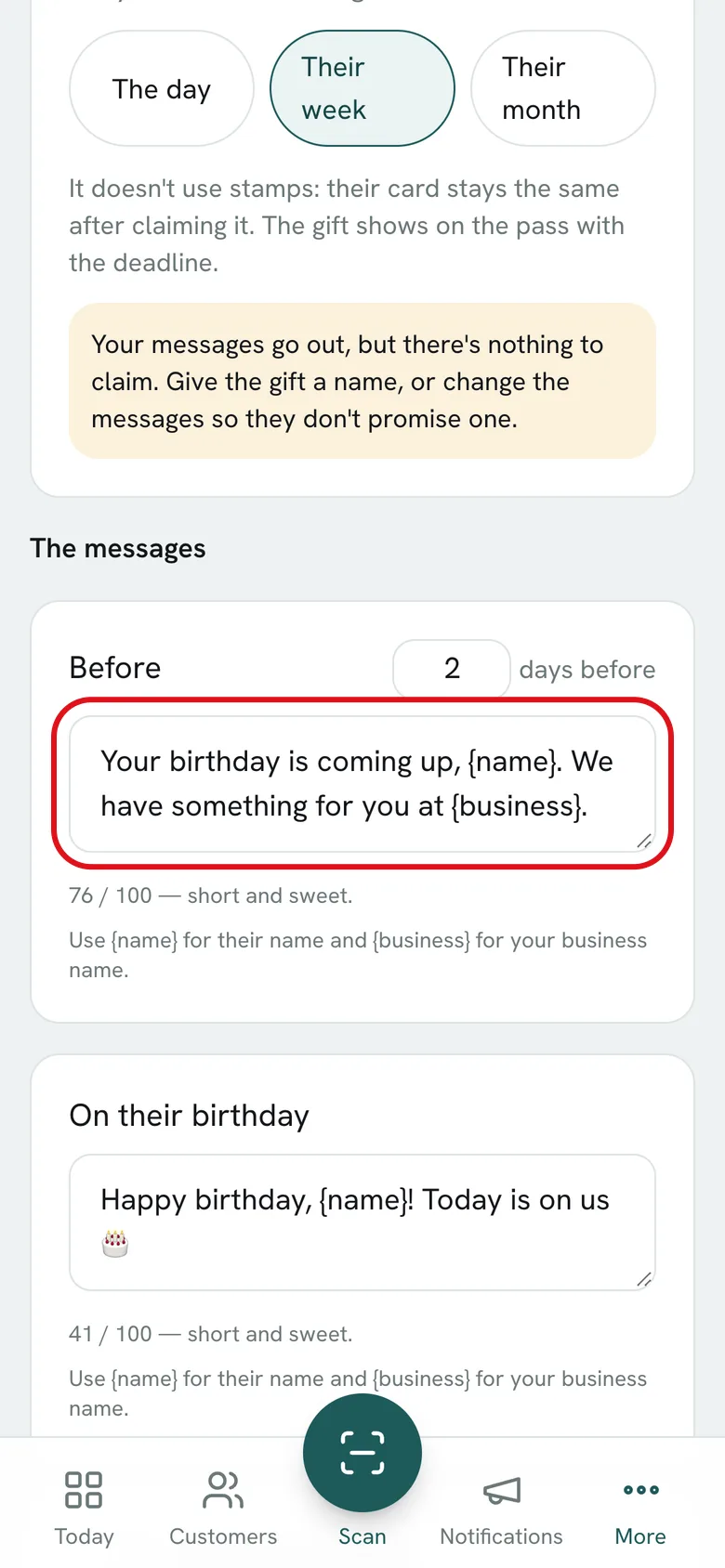
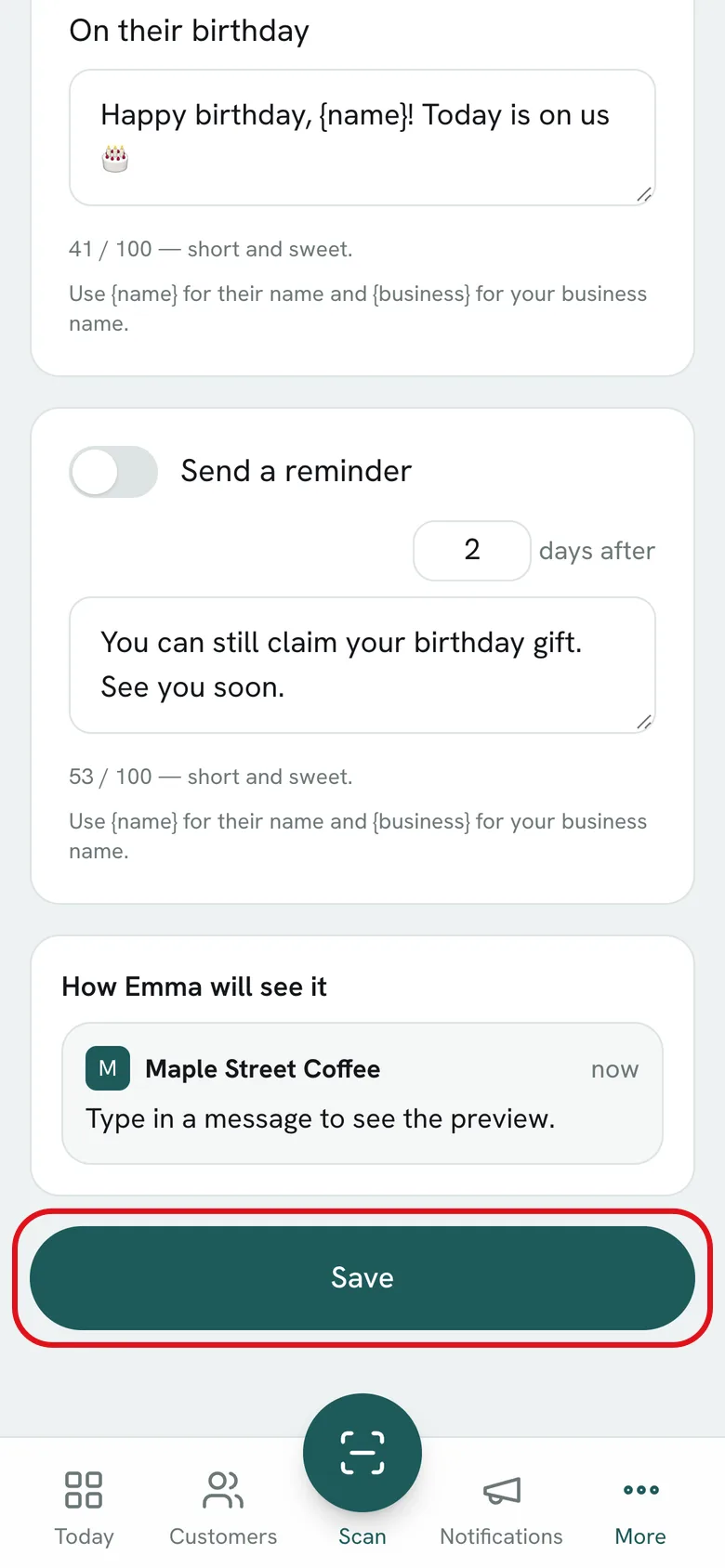
Review the messages: one a few days before, one on their birthday and, if you like, Send a reminder a few days after. Use {name} and {business}.
-
5
Turn on Campaign on and tap Save. From then on it runs by itself every day.
What if…?
What time do they go out?
At 9:00, your business's time.
How is the gift redeemed?
It shows on the pass with its deadline. The customer shows it to you and you hand it over at the counter; it doesn't use stamps and their card stays the same.
Does it work with memberships?
No, the birthday campaign is for stamp cards.
Where do I see the messages sent?
In the Notifications history, as Birthday · before, Birthday · on the day and Birthday · after.