How to add your team
Invite your people with their Google email and choose what each one can do.
-
1
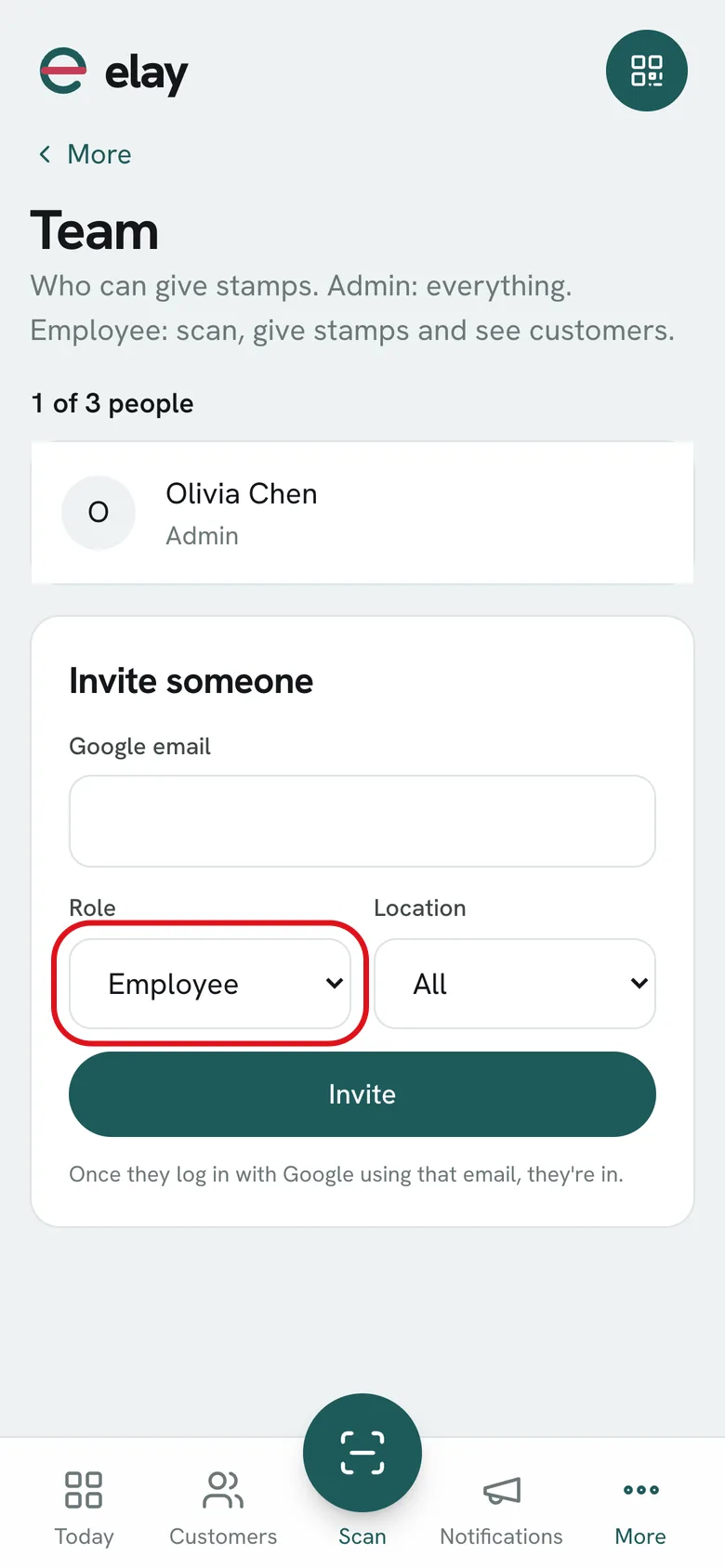
Open More → Team.
-
2
Under Invite someone, enter their Google email.
-
3
Choose the Role: Admin or Employee.
-
4
Choose the Location where they work, or All, and tap Invite.
-
5
When that person signs in at elay.app/entrar with Google using that email, they're in.
What if…?
What can an Employee do?
Scan, give stamps, redeem rewards, log purchases and visits, and see customers. They can't send notifications, export customers, change the card, automations (birthdays, reviews, proximity), business settings, locations or team, or delete or merge customers.
And an Admin?
Everything.
How many people can I add?
Growth includes 1 person, Professional 3 and Ultimate unlimited. You can add more as a monthly extra.
How do I remove someone?
In Team, tap the × next to their name and confirm. The owner can't be removed.